Boot IO Analysis with uberAgent for Splunk 1.5

Boot IO Analysis with uberAgent for Splunk 1.5
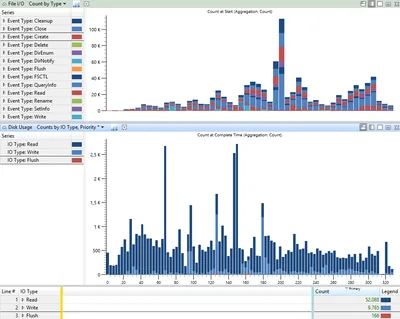
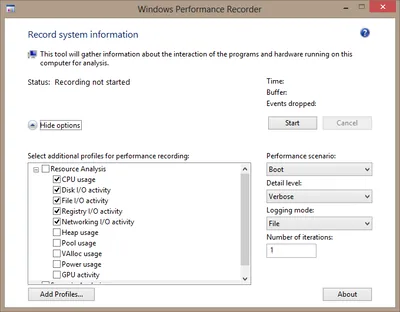
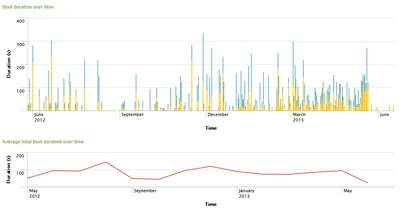
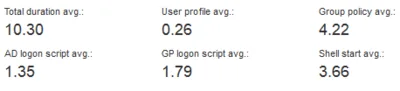
Analyzing slow boots is a difficult task. You need to install software like XPerf and master its far-from-intuitive command-line options to generate a trace file that you can then analyze. Once you find a possible cause for the long startup duration you never know if it is specific to the machine you analyzed or if it affects other PCs, too. In other words: XPerf, although powerful, is difficult to master. And it does not scale. uberAgent does. And it is super-easy to use.
Logs & Metrics

Contest: Why Is This Desktop Empty?

Contest: Why Is This Desktop Empty?
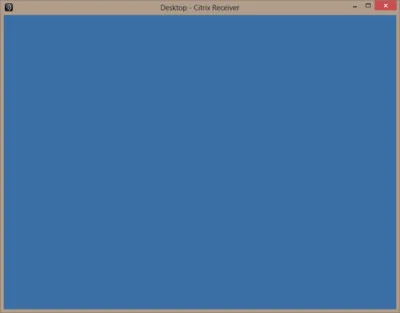
I just had a situation where I was facing an empty desktop with no way to logoff, start a program or do anything else. The only thing left to do was to log the session off from an admin session. This got me thinking: how many ways are there to create such a situation? I am writing down all the ways I know of and ask everybody to contribute. Can you come up with a way to end up with a completely empty desktop I and no one else thought of before?
Citrix/Terminal Services/Remote Desktop Services
How-to: XenApp/RDS Sizing and Capacity Planning with uberAgent for Splunk

How-to: XenApp/RDS Sizing and Capacity Planning with uberAgent for Splunk
Do you know the maximum number of users each of your terminal servers can host with acceptable performance? You may have found out the hard way how many are too many - but how many are just right? Farm sizing and server capacity planning are typical tasks for consultants who often have a hard time fighting the peculiarities of perfmon and logman trying to get the data they need for their calculations. It can be so much easier at no additional cost. The 60-day Enterprise Trial version of Splunk in conjunction with an evaluation license of uberAgent give all the information you need in much less time. Here is how.
Citrix/Terminal Services/Remote Desktop Services
Monitoring Browser Performance per Site with uberAgent for Splunk

Monitoring Browser Performance per Site with uberAgent for Splunk
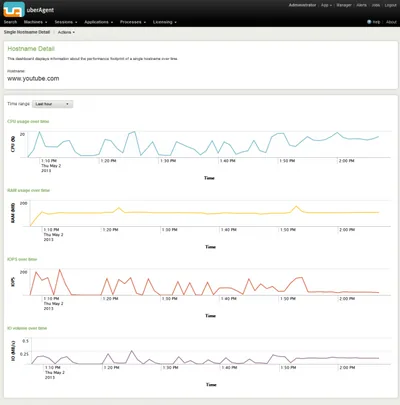
The days are long gone when a browser was just another application. Modern websites are applications of their own, and the browser is their operating system. That has consequences for monitoring. It is no longer sufficient to gather performance data for the browser as a whole. When, for example, Internet Explorer’s CPU usage is high, Administrators need to understand what caused that. Is it the business-critical ERP site or are people just watching fun videos on YouTube?
Logs & Metrics

The Impossibility of Measuring IOPS (Correctly)

The Impossibility of Measuring IOPS (Correctly)
If you have ever used Sysinternals’ Process Monitor, chances are high you were a little intimidated when you looked at your first capture: it probably contained hundreds of thousands of registry and file system events, generated in a minute or less. That amount of activity must surely indicate high system load - but strangely, very often it does not. Looking at the hard disk LED you will only see an occasional flickering, even though thousands of file system events are captured per second. How is that possible? Read on to find out.
Performance/Sizing

Performance Impact of Windows Offline Files

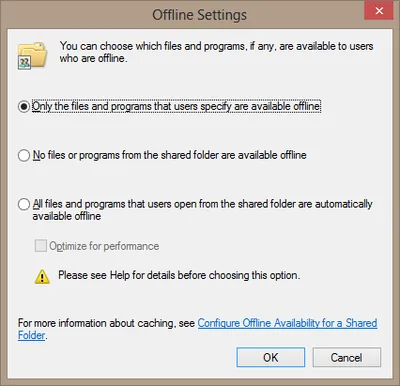
A little known fact about the Windows Offline Files functionality is it slows down network operations considerably. Here is how and why. Test Results The following tests were performed with a set of 1,114 files of a total size of 408 MB. In the copy test the files were copied from a Windows 7 client machine to a file server over a 100 MBit LAN connection. In the delete test the files were deleted on the file server. No antivirus or other security products were running on either side. Each test was run twice, the table lists the average.
Networking

Windows Update Error 80072EFE in Client Hyper-V Guest

Windows Update Error 80072EFE in Client Hyper-V Guest
Client Hyper-V was one of the things I was most looking forward to when I upgraded to Windows 8. I immediately added the Hyper-V feature and went to installing Server 2008 R2 in the first virtual machine. That went well enough and nothing extraordinary happened until I tried to run Windows Update in the new VM. Try as I might, Windows Update would always fail with the error code 80072EFE. Sometimes it chose to fail with 80072EE2, though.
Troubleshooting