How to Easily Monitor System Performance with the new DiskLED 1.1
- Helge's Tools
- Published Nov 18, 2009 Updated Jun 17, 2018
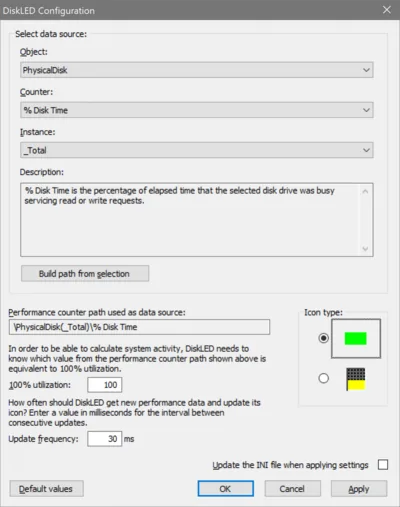
DiskLED is a small tool that displays performance counter data using an animated system tray icon. The new version 1.1 comes with a graphical configuration dialog that lets you choose from all performance counters available on the local system - you can monitor network throughput just as easily as hard disk activity or memory usage. In this article, I am going to show you how to do that.
Update 2018-06-17: DiskLED’s page was moved here: https://helgeklein.com/free-tools/diskled




Comments