Setting up Mobile Broadband (WWAN) on HP Elitebook 8560p
- Windows General
- Published May 9, 2012 Updated Apr 30, 2012
Configuring an HP Elitebook with integrated HS2340 mobile broadband module to use the 3G connection can be a little tricky. Here is how it works - without third-party dialer software!
SIM
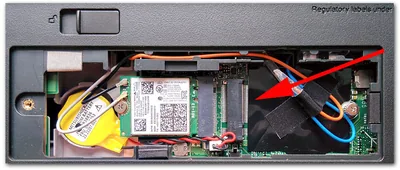
Insert the SIM. To do that you need to remove the battery. You will notice a tiny little slot. Slide the SIM in completely until it is firmly inserted.
Note: There is no need to disable the PIN. Windows will ask you nicely for it when connecting (see below).
Drivers
Boot into Windows 7 and install the mobile broadband drivers. I used version 6.3.5.3.
Connection Manager
With the drivers installed, one might be tempted to think that a WWAN connection can be established. That may be true for you, but in my case more work was required. Windows would allow me to unlock the SIM by entering the PIN, but after that there was no trace of the mobile broadband module left.
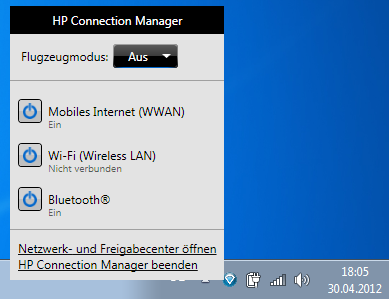
As I found out, the WWAN module was disabled. In order to turn it on I had to install HP’s Connection Manager software which adds a tray icon for turning WWAN, Wi-Fi and Bluetooth on or off:
Configuring the WWAN Connection
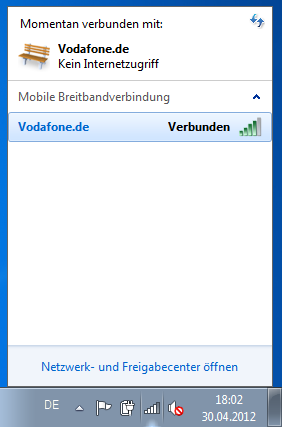
Using the WWAN connection is very comfortable as there is not much to configure. A new entry is added to the network list automatically:
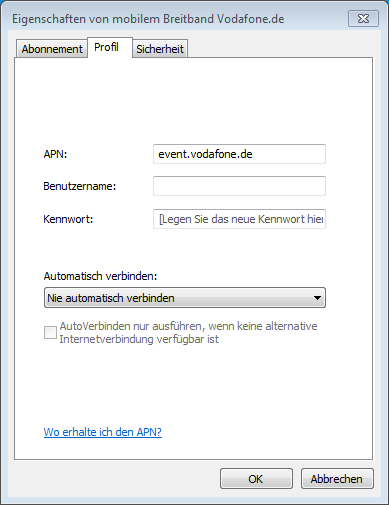
Right-clicking the connection gets us to the properties dialog, where the APN has already been set automatically. User name and password are not required:
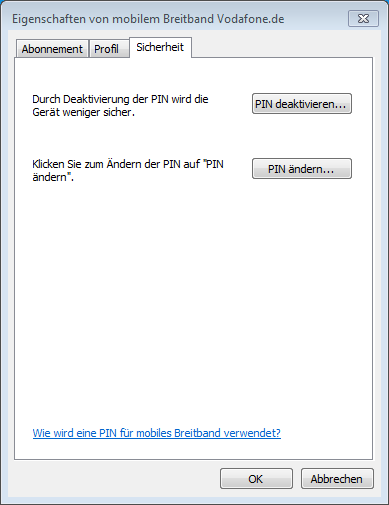
It is even possible to change or disable the PIN:




Comments