XenDesktop Logon Failure: Desktop Viewer Pops up and Closes

Know this problem? You try to start a XenDesktop session, Desktop Viewer opens … and closes. Then nothing.

When you look at the machine in Desktop Studio you find that everything looks good: it is registered with the DDC and it is not in maintenance mode. However, you find an event with the following properties in the application event log:

Source:        Citrix ICA Service
Event ID:      1260
Type:          Warning
Description:   ICA connection is cancelled because auto-logon is enforced and auto-logon failed.
               For more information, see 
               http://support.citrix.com/proddocs/topic/online-plugin-121-windows/ica-sson-enable.html.

Hugh?

Clicking the URL given in the event does not help much:
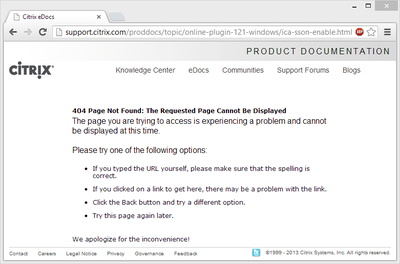
Citrix eDocs 404

Solution

As always, the solution is simple - once you know what it is: the user right allow log on locally was missing. This can be configured through Group Policy here: Computer Configuration -> Policies -> Windows Settings -> Security Settings -> Local Policies -> User Rights Assignment.

By default the following users & groups are granted the right to log on locally on Windows 7 and 8:

  • Guest
  • Administrators
  • Users
  • Backup Operators

Comments

Related Posts

Shutting Down Unused Persistent XenDesktop VMs

Shutting Down Unused Persistent XenDesktop VMs
When you use XenDesktop the only way it makes sense you may find that Citrix has not really put much effort into making that a smooth experience. Persistent is a Second-Grade Citizen XenDesktop is really designed to be used with pooled desktops - machines that are reset to a pristine state when the user logs off. Of course, stateless desktops are much better (and, importantly, cheaper) served from XenApp. This has been the topic of many a debate which I will not repeat here. But I will state that if you give a so-called knowledge worker a personal desktop, you better make sure that desktop is persistent.
Citrix/Terminal Services/Remote Desktop Services

Citrix XenApp 7.6 Logon Slow - Long Black Screen Phase

Citrix XenApp 7.6 Logon Slow - Long Black Screen Phase
Update 2015-04-28: Citrix provides the limited release hotfix ICATS760WX64009 that fixes this issue. More information below. During the research for my session about the XenApp 7.6 logon process, to be presented at Citrix Synergy and BriForum London, I noticed that the logon to my XenApp 7.6 lab server was taking a bit long. Longer, in fact, than the combined durations of the main logon phases user profile loading, group policy processing, logon script execution and shell startup. Much longer. Also much longer than on an otherwise similar XenApp 6.5 machine.
Citrix/Terminal Services/Remote Desktop Services

Latest Posts