Recommendation for a USB 3.0 JBOD Enclosure
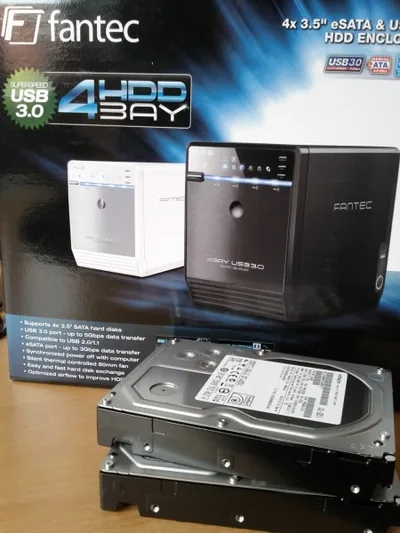
Fantec

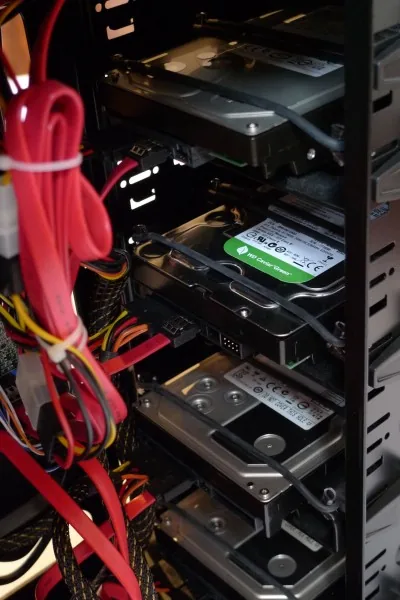
A drive enclosure for 4 SATA drives, connected to the host via USB 3.0 and presented as JOBDs is a great and inexpensive method of adding a lot of hard drive capacity to your computer, e.g. for backup purposes. The enclosure model I have bought is the Fantec QB-35US3. It is compact, the fan not too loud and vibrations from the four drives are kept amazingly low. It can be connected via USB 3.0 and eSATA, but USB is simpler because eSATA requires a port with a multiplier-capable chipset, which is rare. At a retail price of around € 150 the Fantec is relatively inexpensive.

One thing I did not test specifically is the maximum transfer rate, but it seems to be in the region of 80 MB/s, which is good enough for me.

And yes, this works well with Windows 8 Storage Spaces.
Comments

Related Posts

Fast & Silent 5 Watt PC: Lenovo ThinkCentre M90t Modding

Fast & Silent 5 Watt PC: Lenovo ThinkCentre M90t Modding
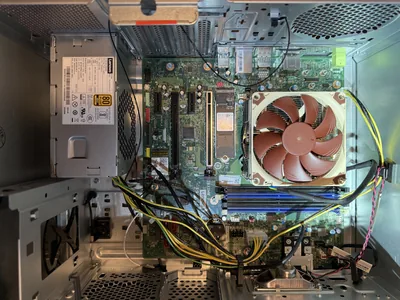
This micro-series explains how to turn the Lenovo ThinkCentre M90t Gen 6 into a smart workstation that consumes only 5 Watts when idle but reaches top Cinebench scores while staying almost imperceptibly silent. In this first post, I’m showing how to silence the machine by replacing and adding to Lenovo’s CPU cooler. In a second post, I’m listing the exact configuration that achieves the lofty goal of combining minimal idle power consumption with top Cinebench scores.
Hardware

Latest Posts

Beautiful Slide Decks from Markdown: Presenting with Slidev

Beautiful Slide Decks from Markdown: Presenting with Slidev
Would you like to get away from PowerPoint and author slide decks in Markdown? Then Slidev may be just what you’re looking for. It’s a web app for presentations. The fact that it’s geared towards developers shouldn’t put you off. After all, who isn’t a developer these days, with AI? Slidev comes with the beautiful Tahta themes and supports features like syntax highlighting and animations. Export options to PDF and PPTX allow for easy sharing. This article shows how to get started.
Applications