Lenovo T520 Maximum Memory: Not 8, But 16 GB!
- Hardware
- Published Dec 6, 2012 Updated Dec 5, 2012
Contrary to what Lenovo wants to make you believe, the T520 laptop is not limited to 8 GB of RAM. I own this reliable workhorse and made the mistake of buying another laptop because I wanted something more elegant, but mainly because I need more than 8 GB of RAM. As it turned out, the other machine was not as business-proof as I thought.
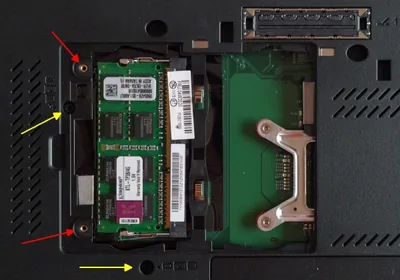
Since I had bought an 8 GB module for the other machine I decided to try it in the T520 - it worked instantly and flawlessly with 12 GB in total. That gave me confidence to order a second 8 GB module and replace the remaining 4 GB SO-DIMM with it. Now my T520 is at 16 GB of RAM, twice the amount Lenovo’s specifications state as the maximum.
If you own the T520 and want to extend your machine’s life: spend 80 € for two 8 GB SO-DIMMs and upgrade to 16 GB. If you want to go a little bit further, replace the hard disk drive with an SSD. I can recommend the Plextor M3 Pro and the Samsung SSD 840 Pro (I own the Plextor since the Samsung was not yet available).
I did both, upgraded the RAM and replaced the HDD with an SDD, and the laptop’s new power nearly scares me. Working with virtual machines now is actually fun - it definitely was not, before.
For the record: the SO-DIMM model I used is the Kingston M1G64J90 (8 GB DDR3-1333).





Comments