Introducing uberAgent for Splunk

  • UberAgent
  • Published Jan 17, 2013 Updated Jan 28, 2017

uberAgent for Splunk takes Windows monitoring a step further. uberAgent does not just collect data - it gives you the information that matters. Other monitoring products rely on the performance counters built into Windows. uberAgent has its own metrics, covering key aspects of user experience and system performance.

Take logons: users are always complaining that logging on takes too much time. uberAgent not only tells you the exact duration of each single logon, it also shows you what is causing it: domain controller lookup, folder redirection group policy processing, logon script execution, to name a few.

Take performance: you keep buying servers and want to know where all that performance goes? Task Manager listing hundreds of processes does not help? uberAgent automatically groups processes to applications and gives you key indicators like IOPS or memory usage per application. Or per session. And if you absolutely insist: also per process.

All this data is not buried in a closed system, quite the contrary. As an add-on to Splunk, uberAgent gets to use all the capabilities of that great platform. And you get that, too: modifying or extending uberAgent is a snap with Splunk’s intuitive UI.

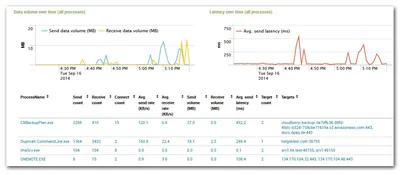
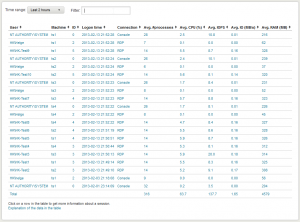
These first screenshots demonstrate what uberAgent is capable of in the area of user sessions. Whether it is logon times or IOPS per session, uberAgent has got you covered.

Screenshots of uberAgent’s application, machine and process dashboards are available in another article. If you like what you are seeing, register for the upcoming beta by sending e-mail to helge at helgeklein.com.

More information will be published soon in this blog and on uberAgent’s website.
Comments

Related Posts

Why Sizing for Averages is a Bad Idea

Why Sizing for Averages is a Bad Idea
When sizing a new environment it is tempting to use averages. It seems the logical thing to do. But it also guarantees a bad user experience. Example: Sizing an RDS or XenApp Farm Let’s say you’re tasked with building a new Citrix XenApp farm. Being a diligent IT person you set up a pilot: one or two machines with all the right software and settings. Then you carefully select a group of pilot users in such a way that they represent the organization’s employee types statistically correctly. Then you let them work on the new platform, ironing out bugs and such. At the end of that period, you have a great new platform. But there is one big question left: how many servers to buy?!
Logs & Metrics

Latest Posts

Fast & Silent 5 Watt PC: Minimizing Idle Power Usage

Fast & Silent 5 Watt PC: Minimizing Idle Power Usage
This micro-series explains how to turn the Lenovo ThinkCentre M90t Gen 6 into a smart workstation that consumes only 5 Watts when idle but reaches top Cinebench scores while staying almost imperceptibly silent. In the first post, I showed how to silence the machine by replacing and adding to Lenovo’s CPU cooler. In this second post, I’m listing the exact configuration that achieves the lofty goal of combining minimal idle power consumption with top Cinebench scores.
Hardware

Fast & Silent 5 Watt PC: Lenovo ThinkCentre M90t Modding

Fast & Silent 5 Watt PC: Lenovo ThinkCentre M90t Modding
This micro-series explains how to turn the Lenovo ThinkCentre M90t Gen 6 into a smart workstation that consumes only 5 Watts when idle but reaches top Cinebench scores while staying almost imperceptibly silent. In this first post, I’m showing how to silence the machine by replacing and adding to Lenovo’s CPU cooler. In a second post, I’m listing the exact configuration that achieves the lofty goal of combining minimal idle power consumption with top Cinebench scores.
Hardware