Hard Links and Permissions / ACLs

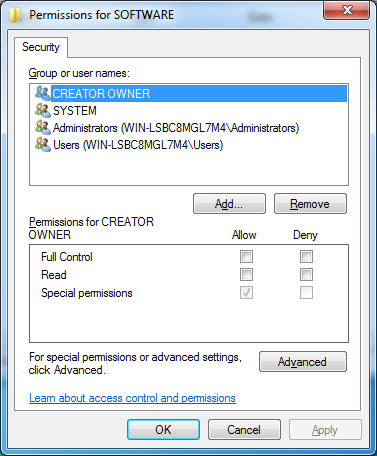
Commenter Lee asked how ACLs are evaluated when an object has multiple hard links. I replied with comments of my own, which turned out to be wrong after I did some experiments. Here is what I found out about hard link permissions and believe to be true.

Can permissions on multiple hard links to the same data be different?

No. Permissions on all hard links to the same data on disk are always identical. The same applies to attributes. That means if you change the permissions/owner/attributes on one hard link, you will immediately see the changes on all other hard links.

Which permissions on the link target are required to create a hard link?

Only the permission “write attributes” (for programmers: FILE_WRITE_ATTRIBUTES) is needed on the target. Whether or not you are the owner of the target is not relevant.

These topics do not seem to be documented anywhere. So how did I find out? I tried it out (on Windows 7 RC).
Comments

Related Posts

Q&A: How to Modify Permissions on Administrative Shares

Question by reader Kendra: I stumbled upon your blog/profile while I was looking for options to lockdown my administrative shares. Maybe you can help me. I’m a Network Administrator for an aerospace / engineering firm where users need administrative access to their PCs. The engineers work on very high-level OS and hardware development and need complete control of their systems. As you can imagine this poses a huge security problems for me at the network level. Currently my users are granted local administrator rights via an AD group (Local Admins) which is added to the local Administrators group on their local PCs. This makes it convenient for my engineers to login to any PC in the company and have local admin rights to do whatever they need to do. This also gives all of my users access to each other’s administrative shares across the network. For example, anyone in this AD group can run \computername\c$ and access any PC on my domain. I do NOT want to disable administrative shares as I am using them to automatically deploy desktop configuration settings (email, mapped network drives, printers, etc). Do you know of a way that I can give my engineers local admin rights without giving them rights to each other’s administrative shares? Any help would be greatly appreciated.
Windows Internals

Latest Posts



