Get Rid of Active Setup
- Windows Internals
- Published Mar 1, 2012
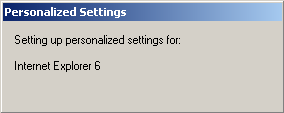
Are you still using Active Setup to distribute per-user files or registry values? If so, stop! There are better ways to manage initial user settings.
This article assumes basic knowledge of Active Setup. You might want to refresh your memory by reading my article Active Setup Explained.
What is Bad About Active Setup?
No Documentation
Active Setup is an internal Microsoft technology. It is not documented anywhere. It might be removed or changed at any time, although it is still present in Windows 8.
No Support
Since Active Setup is not documented, I would be very astonished if you could open a support call if you have a problem with it.
No Central Management
Active Setup configuration is stored in the user and computer hives of the registry. There is no central management of these entries. Both the registry values and the files required for customization need to be placed on all computers and in all user registry hives. In case of roaming profiles, NTUSER.DAT files stored on the file servers need to be modified.

Requires Explorer
Since Active Setup is executed by Windows Explorer, it is not run when starting a published application on Citrix XenApp.
App-V
Active Setup cannot be used to configure virtualized applications.
No Conditional Execution
Active Setup is run for every user logging on. There is no functionality to execute different code depending on group membership or location.
What to Replace Active Setup With
I am aware of two alternatives to Active Setup:
- Group Policy Preferences
- Custom Framework
This could be invoked from a logon script or use a more sophisticated mechanism. It involves coding (or at least scripting) - yes, it is not trivial, but you are rewarded with great flexibility.
Recommendation
Stop using Active Setup. It is arcane technology, inelegant and difficult to manage. Depending on your needs, replace it with - nothing. That would be ideal. Most applications do not need a per user configuration when they start up. When they first start, they simply generation their initial configuration.
If you cannot get away with doing nothing, try Group Policy Preferences. It is included in the OS, comes for free and is managed centrally.
If you are more of a do-it-yourself type, consider developing a little framework that is run during logon and checks if any configuration work is required.
If the above is not right for you and you have money to spend consider a full-blown user environment management product like RES Workspace Manager.





Comments