What is a CTP Meeting all about?
- Citrix/Terminal Services/Remote Desktop Services
- Published Nov 8, 2009
I just returned from my first CTP (Citrix Technology Professional) meeting and thought I might share a few experiences.
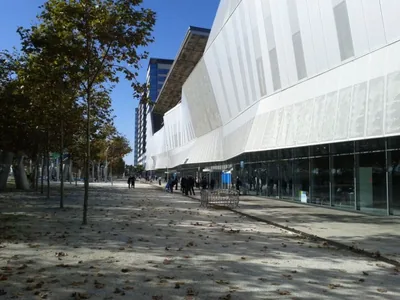
The meeting took place in one of Citrix’s headquarter buildings in Fort Lauderdale, Florida. The meeting itself ran over two days, which means that most attendees were away from home and work for four. While that is certainly nice to know, the question you probably have is: “What does actually happen during such a meeting?”
It basically goes like this: You sit in a room with the other CTPs and a roughly equally large number of Citrites and listen to presentations where program managers outline roadmaps and major new features of their specific product. When a thought strikes you, you make a comment that sometimes becomes a major discussion. All this goes on for two days, from 8:00 to 18:00 with practically no break at all, because everything happens at staccato pace. Why so fast? Citrix has so many products and technologies by now, that even with (short!) 30 minute slots per presentation time is extremely scarce. The net effect is - shallowness. Sure, all people in the room are very clever and experienced and can sometimes spot deficiencies in mere seconds. But…
Many topics are complex. And complex needs time. Add to that the facts that good discussions need a “seed time” of probably 15 minutes to get started, and that most problems do not have a single “best” solution but several potential solutions that all have their merits. All these points hint at the following: less topics with more time for each single one.
A Suggestion
Why not divide the time available into halves: a first half where product managers can pitch all they like in a short timeframe. This half would be like most of this week’s CTP meeting.
But then there would also be the second half, in which key topics that are most interesting to both Citrix and the CTPs are discussed in-depth. The agenda for this second half could be voted for by both Citrites and CTPs - that way, both the company and its community would have a say in what needs discussing.
Disclaimer
Why do I make these comments publicly and not on some internal forum or mailing list? I see my role as a CTP as being a representative of the community of Citrix users. Obviously the members of the community have a right to know what their representatives are doing while representing them.
Please note that I wanted to highlight a specific problem in this post - lack of time. That does not mean that we did not have good discussions at all. There were several of those, too, both during the day and during the after hours program. And it was great to meet and talk to all these very smart people. I just have a hunch that it should be possible to make CTP meetings more valuable for everyone - for Citrix, the CTPs and also the whole community.




Comments