Deleting User Profiles - Correctly

Commenter Steven asked in response to my article on how not to delete local user profiles for the correct way to script the deletion of user profiles. Here is how. For completeness sake I start with the manual method.

Deleting Profiles Manually

  1. Open the control panel applet “System Properties” and navigate to the tab “Advanced”. I know of the following shortcuts for this often needed dialog box:
    • Press Win+R to open the run dialog box. Type SystemPropertiesAdvanced.exe
    • Press Win+R to open the run dialog box. Type control sysdm.cpl,,3 and press enter. Note there must not be entered a space in front of the commas.
    • Press Win+Break
  2. Click on the settings button in the user profiles section.
  3. In the dialog that appears, choose the appropriate user profile and click on delete. Note: you must be an administrator for the delete button to even show up. And: you cannot delete your own profile.

Deleting Profiles Automatically

Microsoft’s delprof utility can be used to delete all local(ly cached) user profiles. Optionally, only profiles not used for a specified number of days are deleted. Another option (/r) restricts the deletion to locally cached roaming profiles.

Please note: By default, delprof deletes all profiles! It does, however, ask for confirmation before each delete, unless the parameter /q is specified.

Usage examples:

Delete all cached copies of roaming profiles on the local machine:

delprof /q /i /r

Delete all profiles not used for 10 days on computer server:

delprof /q /i /c:\\server /d:10

Microsoft’s Delprof does not work on operating systems newer than Windows XP/2003. It is not compatible with Windows 7 and 2008 R2. To fill the void I have written a syntax-compatible successor called Delprof2 which works on all versions of Windows and is even more powerful. Find more information and download Delprof2 here.

References
MS KB: How To Delete User Profiles by Using the User Profile Deletion Utility (Delprof.exe) in Windows 2000

Comments

Related Posts

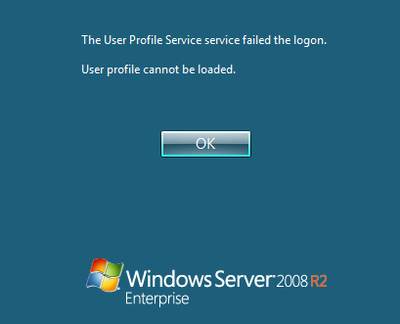
Error Message Explained: User Profile Service Failed the Logon

Error Message Explained: User Profile Service Failed the Logon
This article is part of Helge’s Profile Toolkit, a set of posts explaining the knowledge and tools required to tame Windows user profiles. Many errors related to user profiles result in the user getting a temporary profile instead of the regular local or roaming profile. I have written about possible causes for that here. In addition to that, there is an entirely different category of errors that occur when even a temporary profile cannot be created. This article describes likely causes.
User Profiles

New OS = New Profile = User State Lost. True or False?

New OS = New Profile = User State Lost. True or False?
Going to Windows 7 or Server 2008 (R2) means trouble. Let me use an analogy to explain why. You are in charge of moving people from their old houses to shiny new buildings. You have planned everything perfectly. The new homes are beautiful and located in a great neighborhood. But still, after moving house, people start to complain. They do not feel at home. You forgot to take all those seemingly unimportant things that make a house a home: pictures, plants, all sorts of personal stuff. Impossible, you say? People would never leave their personal belongings behind? I agree: when it comes to moving house, not taking at least most of the personal stuff is highly unlikely. But in IT it is common practice.
User Profiles

Latest Posts

Filebrowser to Be Archived. Migrate to a Modern Alternative: Sambee

Filebrowser to Be Archived. Migrate to a Modern Alternative: Sambee
Filebrowser is being archived. As the author writes, the codebase dates back to when he was but 15 years old. Having created such a popular file management tool is a more than impressive achievement for anyone, let alone a teenager. However, when it comes to security and reliability, Filebrowser seems to be built on a less than ideal foundation, so much so that the author states:
Home Automation, Networking & Self-Hosting