Hardware-Encode Video in H.265 with Free Tools to Save Disk Space

Hardware-Encode Video in H.265 with Free Tools to Save Disk Space
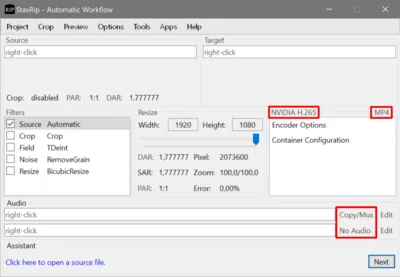
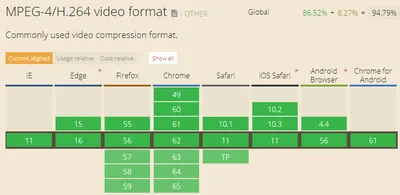
Many web meeting services have a recording functionality. Most recordings are provided as MP4 files with the video encoded in H.264 because that offers the most universal compatibility. However, it also needs a lot of disk space. H.264 has a successor, H.265, which only requires half the space for the same visual quality. This post shows how to use StaxRip, a free tool, to re-encode H.264 video into H.265 quickly by making use of GPU hardware encoding.
Tips and Tools

How to Convert Quicktime MOV Video Files to MPEG-2

Updates: Update 1: Fixed bugs in the batch file and made it available for download Update 2: Wildcards are now supported Update 3: Timestamps are now copied from source to destination files. For this, touch.exe is needed. Update 4: File names with spaces in them are now handled correctly I recently bought a new compact digital photo camera, Panasonic’s Lumix LX3. Although I acquired it solely for its still image capabilities, I quickly discovered that it records video in very high quality, especially when compared to my digital video camera, a JVC model equipped with a hard disk on which video files are stored in MPEG-2 format in DVD resolution.
Photography