XenApp and RDS Sizing Part 2 - Determining Farm Capacity

XenApp and RDS Sizing Part 2 - Determining Farm Capacity
This article is part of a mini-series. You can find the other articles here. As we have seen in part 1 of this series, when sizing a new farm the first thing we need to know is the capacity of the existing farm. Armed with data on capacity and additionally load, we can easily calculate the capacity of a new farm. In this article I describe how to determine capacity of the four relevant hardware components of a XenApp server: CPU, memory, storage and network.
Citrix/Terminal Services/Remote Desktop Services
Fixing Office 2007's Quick Access Toolbars With Citrix User Profile Manager

Fixing Office 2007's Quick Access Toolbars With Citrix User Profile Manager
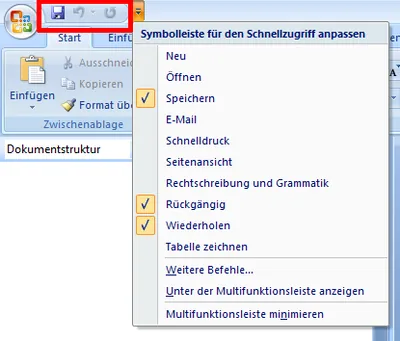
Not sure where user profile management might be useful? Here is an example that should apply to almost everyone. The obvious new user interface feature of Microsoft Office 2007 is the ribbon. But there are numerous other UI enhancements over Office 2003. One of these are the Quick Access Toolbars. If you are not sure what I am talking about: the following screen shot should give you an idea (from a German version of Office, sorry):
User Profiles

Citrix User Profile Manager (UPM) and the Broken Rootdrive

Citrix User Profile Manager (UPM) and the Broken Rootdrive
Terminal server application compatibility scripts have been around for a long time - so long in fact, that I considered them a legacy and stowed away any knowledge of them in a very remote area of my brain. When a Citrix customer brought up a problem with the mapping of ROOTDRIVE in the User Profile Manager forum, at first I had no clue what he was talking about. Luckily, the customer was able to pin the problem down to a specific command that failed when, and only when, User Profile Manager was processing the logon. This is the story of UsrLogon.cmd, ACRegL.exe and UPM.
User Profiles

Four Ways to Increase the Capacity of Your Citrix XenApp Farm

Even with the most meticulous design, the day will come when your farm’s capacity is not sufficient any more. User numbers increase, applications become more resource-hungry and the amount of data to be handled increases steadily. So what do you do? Simply more of the same, i.e. buy more servers and add them to the farm? That is one way of increasing capacity, but it is not the only one and therefore may not be the best.
Performance/Sizing

How to Reduce the Size of Roaming Profiles

This article is part of Helge’s Profile Toolkit, a set of posts explaining the knowledge and tools required to tame Windows user profiles. Roaming user profiles tend to grow over time, which is sometimes referred to as profile bloat. In and by itself, profile growth is not a problem. Users of desktop PCs who log on the the same machine every day will not even notice that they have huge profiles ready to follow them around the network. Their locally cached copy of the roaming profile is always current. No need to fetch anything from a file server during logon.
User Profiles

The Most Interesting New Feature of Server 2008 Terminal Services / XenApp 5.0? Why, Font Smoothing!

Much has been written about the many new features of Windows Server 2008 Terminal Services. Now, with the upcoming release of Citrix XenApp 5.0 (Project Delaware), Citrix updates its best-selling product and ports it to the new platform. Brian Madden analyzes whether it is still worth buying Citrix XenApp / Presentation Server on top of pure Windows Terminal Services.
Citrix/Terminal Services/Remote Desktop Services
Windows x64 Part 3: CPUs, AMD64, Intel 64, EM64T, Itanium

This is the third part of a mini-series on Windows x64, focusing on behind the scene changes in the operating system. In the first two articles (here and here) I explained key concepts and limitations of the x86 platform: every 32-bit process can use 2 GB of address space, which is by far enough for most applications. However, the kernel is also limited to 2 GB of RAM, which can lead to bottlenecks on systems that need to keep track of large amounts of resources, which is typically the case on terminal servers.
64-Bit Windows (x64)

Windows x64 Part 1: Virtual Memory

I will start the new year with a small series on Windows x64 in which I will explain why 64-bit computing is not only necessary but inevitable. I will then go on to explain in detail where Windows x64 differs from the 32-bit versions and what that means for all those who are responsible for the design, operation, and support of 64-bit systems. All the while I will be focusing on terminal servers, but most facts and conclusions are valid for other system types, too.
64-Bit Windows (x64)

Taming Black Holes: Parallel Session Creation

Have you ever tried to log on to a terminal server and, after entering your credentials, been forced to stare at a grey screen for a lengthy period of time wondering what the machine might actually be doing? Of course you have, along with a few million other terminal server users. Being a technical guy (you would not be reading this otherwise) you have checked CPU / memory / hard disk utilization and the current session count when users complain that logons are slow. You will probably have noticed that all relevant metrics are in the green and logons are the slower, the more users try to log on to a server concurrently. It turns out that parallel logons are the root cause of the problem. Why?
Citrix/Terminal Services/Remote Desktop Services
ClearType Bandwidth Revisited - Testing 32 Bit Color Depth

ClearType Bandwidth Revisited - Testing 32 Bit Color Depth
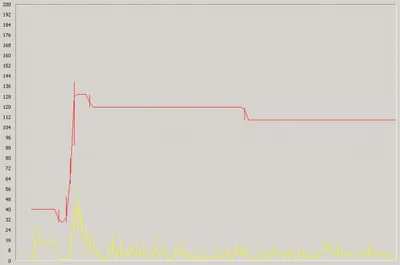
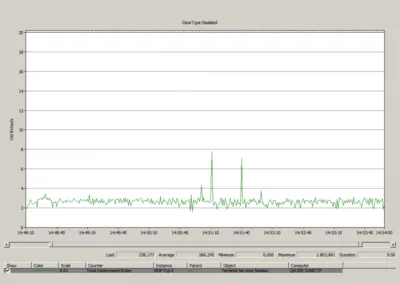
In an earlier post I wrote about how bandwidth requirements of the RDP protocol are affected by enabling font smoothing (ClearType over RDP version 6) on Windows Server 2008. Jan, a reader of that article, posted an interesting comment: he had heard that RDP version 6 was optimized for a color depth of 32 bits and asked me to repeat my tests with that setting, which leads to an interesting question: how is font smoothing bandwidth usage affected by the color depth used?
Citrix/Terminal Services/Remote Desktop Services