Helge Klein Helge Klein
  • Blog
  • Tools
    • SetACL
    • SetACL Studio
    • Delprof2
    • More free tools
  • Projects
    • Home Assistant
      • Smart Cover Automation
    • Samba
      • AD & File Server Docker Containers
    • Linux
      • Config File Backup on GitHub
  • HAUS21
    • Planung
      • Wärme-/Kältequellen: Geothermie, Eisspeicher, Luft-Wärmepumpe
      • Heizen und Kühlen mit Eisspeicher: Details
      • Heizen/Kühlen: Fußboden vs. Decke vs. Wand
      • Bauteilaktivierung: Kühlung der Betondecken
      • Photovoltaik und Stromspeicher
      • Kontrollierte Wohnraumlüftung (KWL)
      • Baustoffe: viel Poroton & Lehm, wenig Beton, kein Rigips
      • Altersgerechtigkeit und Barrierefreiheit
      • Smart Home: das vernetzte Haus
    • Erfahrungen
      • Viessmann-Eisspeicher? Lieber Nicht!

Start typing to search...

↑↓ navigate ↵ select esc close

ShareFile

Tag 2 posts
Citrix/Terminal Services/Remote Desktop ServicesScripting

Citrix ShareFile Sync on a New Computer with Existing Data
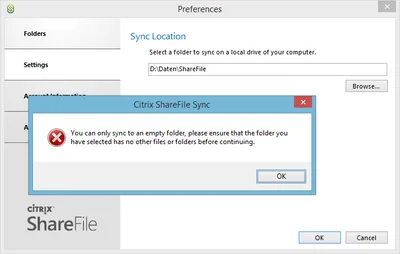
Citrix ShareFile Sync on a New Computer with Existing Data
Switching over to a new computer is certainly fun for a geek, but getting back to a perfectly tuned configuration can be a lot of work, whether you synchronize (part of) your data to the cloud or not.
Citrix/Terminal Services/Remote Desktop Services
Jul 10, 2014

Configuring Citrix ShareFile Sync from PowerShell

Configuring Citrix ShareFile Sync from PowerShell
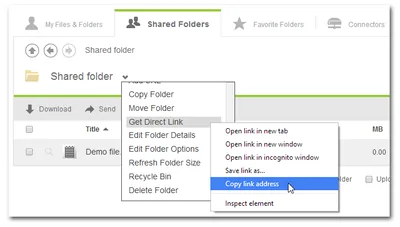
When you have a cloud-based file sharing service it makes a lot of sense to synchronize part or all of the data with your desktop computer. Citrix ShareFile offers the Sync for Windows tool for that purpose. However, once you open its configuration screen you notice that has a severe restriction: it can only synchronize to a single local folder. In many cases it would make much more sense to synchronize different cloud folders to different locations on your hard disk. When I complained to the product manager Peter Schulz about this I learned about a hidden gem: the single folder restriction is only present in the UI; the underlying sync engine is much more flexible. And the best thing is: the sync engine can be configured from PowerShell. Here is how.
Citrix/Terminal Services/Remote Desktop Services
Jan 21, 2014
© 2026 Helge Klein
About Imprint Privacy Policy