Helge Klein Helge Klein
  • Blog
  • Tools
    • SetACL
    • SetACL Studio
    • Delprof2
    • More free tools
  • Projects
    • Home Assistant
      • Smart Cover Automation
    • Samba
      • AD & File Server Docker Containers
    • Linux
      • Config File Backup on GitHub
  • HAUS21
    • Planung
      • Wärme-/Kältequellen: Geothermie, Eisspeicher, Luft-Wärmepumpe
      • Heizen und Kühlen mit Eisspeicher: Details
      • Heizen/Kühlen: Fußboden vs. Decke vs. Wand
      • Bauteilaktivierung: Kühlung der Betondecken
      • Photovoltaik und Stromspeicher
      • Kontrollierte Wohnraumlüftung (KWL)
      • Baustoffe: viel Poroton & Lehm, wenig Beton, kein Rigips
      • Altersgerechtigkeit und Barrierefreiheit
      • Smart Home: das vernetzte Haus
    • Erfahrungen
      • Viessmann-Eisspeicher? Lieber Nicht!

Start typing to search...

↑↓ navigate ↵ select esc close

Reg.exe

Tag 2 posts
Tips and ToolsWindows Internals

Registry Tricks

Registry Tricks
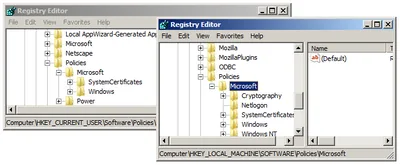
Here are some pretty cool ways to work with the Windows registry. Regedit Multiple Instances Start multiple instances of Regedit by appending the command-line parameter -m, e.g.: regedit -m. Multiple instances of RegeditExporting/Importing Favorites Regedit’s favorites are a handy way to get to keys you often need. The list of favorites is stored in the registry (where else?): HKCU\Software\Microsoft\Windows\CurrentVersion\Applets\Regedit\Favorites. Exporting the favorites to a .REG file can easily be automated with reg.exe (see below).
Tips and Tools
Jun 21, 2010

Registry Fun (Working With Hive Files)

Sometimes it is necessary to export/import data from or into the registry for some sort of additional processing. To this end, often regedit is used to create .REG files, which store a human-readable text interpretation of the registry content. .REG files can be edited easily with any capable text editor (even Notepad), and thus are a common way of making a collection of settings available to others. By the way, importing a .REG file’s data silently is done with the following command:
Windows Internals
Aug 12, 2009
© 2026 Helge Klein
About Imprint Privacy Policy