Samba File Server With POSIX ACLs in a Docker Container

Samba File Server With POSIX ACLs in a Docker Container
This article explains how to set up a Samba file server as an Active Directory domain member in a Docker container. This newer configuration differs from my earlier setup in one essential point: it uses POSIX instead of Windows ACLs, simplifying the administration and making it possible to modify files via other protocols than SMB. This post is part of my series on home automation, networking & self-hosting that shows how to install, configure, and run a home server with dockerized or virtualized services.
Home Automation, Networking & Self-Hosting

Finding (Executables in) User-Writeable Directories

Finding (Executables in) User-Writeable Directories
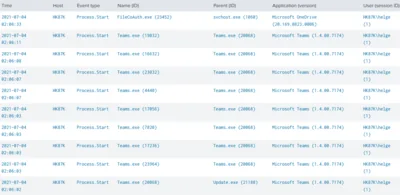
This article presents two different detection types for insecure filesystem permissions on Windows endpoints: scanning for directories that are user-writable, and detecting processes that are started from user-writeable directories. Directory Scan With ListUserWriteableDirectories & SetACL My ListUserWriteableDirectories script is an implementation of the first detection type: it scans the filesystem listing any permissions not known to be safe.
Security

Error Message Explained: User Profile Service Failed the Logon

Error Message Explained: User Profile Service Failed the Logon
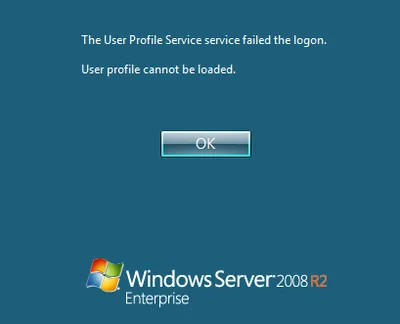
This article is part of Helge’s Profile Toolkit, a set of posts explaining the knowledge and tools required to tame Windows user profiles. Many errors related to user profiles result in the user getting a temporary profile instead of the regular local or roaming profile. I have written about possible causes for that here. In addition to that, there is an entirely different category of errors that occur when even a temporary profile cannot be created. This article describes likely causes.
User Profiles

Q&A: How to Modify Permissions on Administrative Shares

Question by reader Kendra: I stumbled upon your blog/profile while I was looking for options to lockdown my administrative shares. Maybe you can help me. I’m a Network Administrator for an aerospace / engineering firm where users need administrative access to their PCs. The engineers work on very high-level OS and hardware development and need complete control of their systems. As you can imagine this poses a huge security problems for me at the network level. Currently my users are granted local administrator rights via an AD group (Local Admins) which is added to the local Administrators group on their local PCs. This makes it convenient for my engineers to login to any PC in the company and have local admin rights to do whatever they need to do. This also gives all of my users access to each other’s administrative shares across the network. For example, anyone in this AD group can run \computername\c$ and access any PC on my domain. I do NOT want to disable administrative shares as I am using them to automatically deploy desktop configuration settings (email, mapped network drives, printers, etc). Do you know of a way that I can give my engineers local admin rights without giving them rights to each other’s administrative shares? Any help would be greatly appreciated.
Windows Internals

Taking Ownership Fails With UNC Path, Works Locally!?! Why?

Here is an interesting tidbit related to Windows security: Create a test file share, e.g. C:\temp\test, and share it with full permissions for everyone (share, not NTFS permissions) as “test” Create the following directory hierarchy below the share: C:\temp\test\1\2\3\4 Assign ownership of the four folders 1, 2, 3 and 4 to any user (but do not use your own account, just anyone else’s) Set permissions on 1, 2, 3 and 4 that only the user from the previous step has full access, nobody else, not even the SYSTEM Now try to use SetACL to change the owner of directory “4” over the network (SetACL uses backup and restore privileges so this should be no problem) by issuing the following command locally: setacl -on \localhost\test\1\2\3\4 -ot file -actn setowner -ownr n:domain\administrator SetACL will fail with access denied (full message: “ERROR: Writing SD to <\?\UNC\localhost\test\1\2\3\4> failed with: Access is denied.”) Now issue the same command, but instead of using a UNC path use the local drive letter: setacl -on c:\temp\test\1\2\3\4 -ot file -actn setowner -ownr n:domain\administrator That works! Why is this so? I have no clue.
Security

How to Modify Default Share Permissions and Other Tweaks

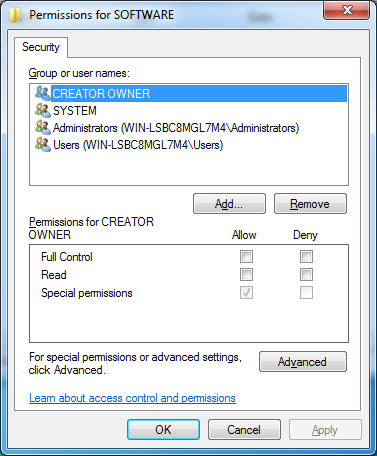
NTFS permissions are stored in the file system, that is well known. But where are share permissions stored? As so often with Windows: in the registry. Network shares are defined by only a handful of relatively simple registry entries stored in the server service’s key which is, for historical reasons that go back way beyond OS/2, named “LanmanServer” (the workstation service is similarly named “LanmanWorkstation”).
Windows Internals

Permissions: A Primer, or: DACL, SACL, Owner, SID and ACE Explained

Updated: 2021-06-22 Every object that can have a security descriptor (SD) is a securable object that may be protected by permissions. All named and several unnamed Windows objects are securable and can have SDs, although this is not widely known. There does not even exist a GUI for manipulating the SDs of many object types! Have you ever tried to kill a system process in Task Manager and got the message “Access denied”? This is due to the fact that this process’ SD does not allow even administrators to kill the process. But it is, of course, possible, as an administrator, to obtain the necessary permissions, provided a GUI or some other tool is available.
Windows Internals

How to Prevent Users from Changing Permissions on File Servers

On file servers in corporate environments one typically does not want users to change permissions, even on their own files. It might seem that it would be sufficient to simply grant change permissions instead of full control, but unfortunately that is not the case. The problem is that whenever a new file gets created, the user creating the file will be its owner. And owners can always change permissions, regardless of the contents of the DACL.
Tips and Tools