Free Services to Send Files End-To-End Encrypted

Free Services to Send Files End-To-End Encrypted
There are a number of services for sending files to someone else that are both free and secure. This post provides an overview. What is End-to-End Encrypted File Sending? File sending services work similarly to file synchronization & sharing services, except there is no synchronization part. You navigate to the service’s website, select the files you want to send, and they’re encrypted on your machine while being uploaded. You get a link to be shared with the files’ recipient. The service stores the files for a certain time, typically seven days. That is how long the link remains valid. It is important to note that end-to-end encrypted sending services cannot decipher your data, for them it’s just meaningless bits.
Applications


Top 10 IT Security Tips for Individual Users

Top 10 IT Security Tips for Individual Users
This is a list of simple things that will protect you from nearly all the real-world IT security issues affecting individuals and SOHO users. 1. Install All the Updates What Should You Do? Enable automatic updates wherever possible Don’t use obsolete software versions Why Is It Important? Older software versions often have known security issues for which exploits are readily available. This means that even script kiddies can easily attack large numbers of users.
Security

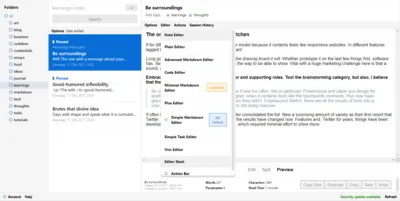
Standard Notes: a Note-Taking App with Client-Side Encryption

Standard Notes: a Note-Taking App with Client-Side Encryption
Note-taking is one of those topics that appear to have been solved long ago, yet offer plenty of opportunity for new contestants. There are multiple reasons for that, but for me the number one is encryption. The major players, Microsoft OneNote, Evernote, and Google Keep, store your thoughts and ideas in plain text on any synchronized device as well as their cloud servers. In the age of hacks, leaks, and exploits it does not take much to conjure up scenarios where those thoughts become public knowledge all of a sudden.
Applications

Cleaning up the Mess Left Behind by Multiple EFS Certificates

In case you have (un?)wittingly been juggling around with multiple EFS certificates like me, you may feel a strong urge to clean up the mess. Which mess? It can happen quite easily that different files are encrypted with different keys. In addition to that, directories that are marked for encryption have EFS certificates associated with them, and there is no UI to manipulate that. In order to straighten this out, once the proper certificate is in place each file and directory needs to be “touched” in order to update their encryption keys.
Tips and Tools