All You (N)ever Wanted to Know about Logon & Group Policy Performance

All You (N)ever Wanted to Know about Logon & Group Policy Performance
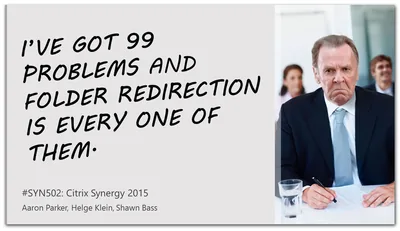
Citrix Synergy, E2EVC and BriForum are just around the corner. I will be presenting at each of these conferences. Here are a few tidbits to whet your appetite. Citrix Synergy Orlando Having spent the majority of the past weeks preparing my sessions it feels good to finally be able to present! I will be on stage at next week’s Citrix Synergy Orlando three days in a row, starting Tuesday, May 12th at 2 PM with SYN502 - I’ve got 99 problems, and folder redirection is every one of them. That session is a follow-up to the last year’s very successful folder redirection presentation, and I am co-presenting with the awesome Aaron Parker (@stealthpuppy) and Shawn Bass (@ShawnBass).
Conferences

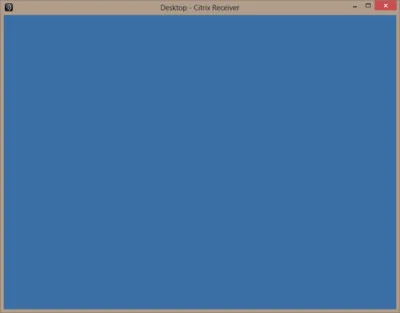
Contest: Why Is This Desktop Empty?

Contest: Why Is This Desktop Empty?
I just had a situation where I was facing an empty desktop with no way to logoff, start a program or do anything else. The only thing left to do was to log the session off from an admin session. This got me thinking: how many ways are there to create such a situation? I am writing down all the ways I know of and ask everybody to contribute. Can you come up with a way to end up with a completely empty desktop I and no one else thought of before?
Citrix/Terminal Services/Remote Desktop Services

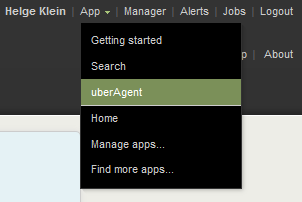
How-to: XenApp/RDS Sizing and Capacity Planning with uberAgent for Splunk

How-to: XenApp/RDS Sizing and Capacity Planning with uberAgent for Splunk
Do you know the maximum number of users each of your terminal servers can host with acceptable performance? You may have found out the hard way how many are too many - but how many are just right? Farm sizing and server capacity planning are typical tasks for consultants who often have a hard time fighting the peculiarities of perfmon and logman trying to get the data they need for their calculations. It can be so much easier at no additional cost. The 60-day Enterprise Trial version of Splunk in conjunction with an evaluation license of uberAgent give all the information you need in much less time. Here is how.
Citrix/Terminal Services/Remote Desktop Services

Conferences 2012 and Beyond

What do I do for a living? I travel to community conferences, of course. In 2012 I spent 44 days going to 10 different conferences - err, wait, that is I would love to earn a living that way, but of course I have to work like everybody else. Nevertheless, having my own company I can be flexible as to how and where I spend my time off. Apart from being with my family there is little else more compelling than meeting my peers, talking to thought leaders in the industry and hanging out with overall great guys. In 2012 I have been doing that a lot. I spent a whopping 44 days travelling. I went to 10 different conferences, 3 in the US and another 7 in Europe. And I presented at 7 of them.
Conferences

Batch Delete Issued Citrix User/Device Licenses with Udadmin

Udamin.exe is a handy tool for managing Citrix user/device licenses. To get a list of currently issued licenses run it like this: C:\Program Files\Citrix\Licensing\LS>udadmin.exe -list Usage data is 15 minutes old. Next update in 1 minutes. Users: username1 XDT_PLT_UD 2013.0815 username2 XDT_PLT_UD 2013.0815 Devices: computername1 XDT_PLT_UD 2013.0815 computername2 XDT_PLT_UD 2013.0815 You can delete individual license assignments like this:
Citrix/Terminal Services/Remote Desktop Services

XenApp and RDS Sizing Part 2 - Determining Farm Capacity

XenApp and RDS Sizing Part 2 - Determining Farm Capacity
This article is part of a mini-series. You can find the other articles here. As we have seen in part 1 of this series, when sizing a new farm the first thing we need to know is the capacity of the existing farm. Armed with data on capacity and additionally load, we can easily calculate the capacity of a new farm. In this article I describe how to determine capacity of the four relevant hardware components of a XenApp server: CPU, memory, storage and network.
Citrix/Terminal Services/Remote Desktop Services

Differences Between Citrix Profile Management and Immidio Flex Profiles

From time to time I get asked about the differences between Citrix’s and Immidio’s profile management products. Here are some common questions along with my answers. Can the product be used to provide a single profile on multiple platforms? Citrix Profile Management 3.x does not have cross-platform capabilities built in. That means you cannot use an XP profile on Windows 7, but you can use the same profile on 32 and 64 bit Windows, if you dare. Citrix has a beta version of PM with cross-platform support for MS Office and Internet Explorer. Flex Profiles does not have true cross-platform capabilities either, but it can be used to make settings available cross-platform that have the same format on all platforms. Example: HKCU\Software\Paint.NET is probably a no-brainer whereas copying HKCU\Software\Microsoft\Internet Explorer around is probably a bad idea. Can the product be used on SBC, VDI and fat clients? This is true for both Citrix PM and Flex Profiles (licensing restrictions may apply). Can the product be used to preconfigure a user’s environment? Both Citrix Profile Management and Immidio Flex Profiles are classic profile management products without the capability to set up a specific user environment or distribute updated settings to all users. That is typically referred to as “user environment management” and two free implementations are Microsoft’s Group Policy Preferences and Pierre Marmignon’s Virtual User Environment Manager. Of course there are many alternatives by companies like AppSense or RES. Can portions of the profile be saved during a session as well as at logoff and at disconnects? Citrix Profile Management loads (respectively streams) the profile at logon and writes changes back at logoff. It also has a feature called “active write back” which, if enabled, causes changed files to be written back to the user store immediately. This works for files only, not for registry keys. Flex Profiles typically is configured to import settings at logon and export again at logoff. Since Flex uses a simple tool for the imports/exports it is conceivable to call that tool during a session as well. There is, however, no built-in support for that. Neither is there for exporting settings at disconnects. Can it be configured what to save and what not? Both products are very flexible when it comes to which parts of the profile should be saved. Yet there is one major difference: by default, Profile Management saves everything whereas Flex Profiles saves nothing. As a consequence, PM just works out of the box whereas Flex needs to be configured for each application individually.
User Profiles

Citrix User Profile Manager 5 Years Ago: Birth

Citrix User Profile Manager 5 Years Ago: Birth
Citrix User Profile Manager is pretty well-known in the SBC space today. Five years ago, things were quite different. Citrix did not have a user profile solution, and neither did sepago. But we had an idea spinning in our heads we soon came to call Smooth Profiles. Slowly that idea became code, then was renamed to sepagoPROFILE, was acquired by Citrix and renamed again to User Profile Manager and then again to Profile management (with capital P and lower-case m!). You may have heard the latter part of the story. Here is a little something from the very beginning.
User Profiles

Fixing Office 2007's Quick Access Toolbars With Citrix User Profile Manager

Fixing Office 2007's Quick Access Toolbars With Citrix User Profile Manager
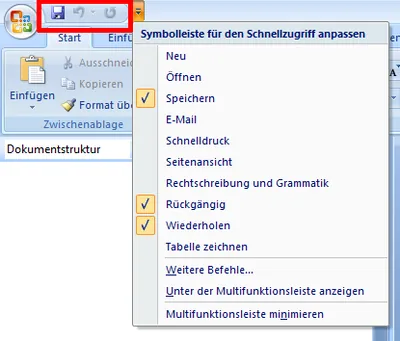
Not sure where user profile management might be useful? Here is an example that should apply to almost everyone. The obvious new user interface feature of Microsoft Office 2007 is the ribbon. But there are numerous other UI enhancements over Office 2003. One of these are the Quick Access Toolbars. If you are not sure what I am talking about: the following screen shot should give you an idea (from a German version of Office, sorry):
User Profiles

New Articles, Tools, Tips and Tricks: Windows, Hyper-V, Citrix, PowerShell and Application Streaming / App-V

Windows Beginning with Vista, when formatting a drive the entire disk is overwritten with zeroes. While this is good for end users who like to wipe all data prior to selling or throwing away a disk drive, SAN-based volumes should not be formatted like this. Perform a quick format instead. But if you want to make sure the data is really gone - no need for “secure erase” programs any more! The need for multiple overwrites is a myth.
Tips and Tools