Samba & SMB Web Access Through Filestash With Passthrough Auth

Samba & SMB Web Access Through Filestash With Passthrough Auth
This article explains how to set up Filestash in a Docker container as a web interface for browser-based access to a Samba or SMB file server. This newer configuration improves on my earlier Filebrowser setup in one essential point: the SMB storage is accessed as the authenticating user, i.e., the user authentication is passed through to the backend storage. This means that each user sees exactly the directories and files they have access to. When a new file is created through Filestash, it’s stored with the proper permissions as if it had been created it via SMB.
Home Automation, Networking & Self-Hosting
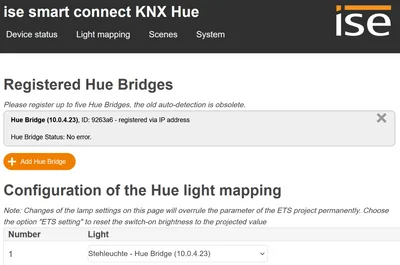
Controlling Philips Hue Lights From KNX With ISE Smart Connect KNX Hue

Controlling Philips Hue Lights From KNX With ISE Smart Connect KNX Hue
The ISE Smart Connect KNX Hue is a nifty little device that bridges the gap between the KNX and Hue universes. But why bring wireless Hue lights into the mix if you already have lights controlled via wired KNX/DALI? The answer is simple: even in the most well-planned house there are situations where you want to place lights in positions where only a plain socket without KNX or DALI control is available. In such cases, wirelessly controlled Hue bulbs are a flexible solution. However, you still want to be able to control all your lights - KNX, DALI, and Hue - from one place: your KNX room controllers. The ISE Smart Connect KNX Hue enables just that.
KNX & ETS

Samba File Server: Web Access Through Filebrowser With SSO & HTTPS

Samba File Server: Web Access Through Filebrowser With SSO & HTTPS
This article explains how to set up Filebrowser in a Docker container as a web interface for browser-based access to a Samba file server. Please note that in my own use this configuration has been superseded by a Filestash setup which has the advantage of accessing the storage as the authenticating user. Filebrowser and other tools like it have the disadvantage of accessing the file system through one “service” user account. This means that what the browser shows is not what the actual user is allowed to access but instead what the service account has permission to read. Also, when files are created, the owning user is the service account. This post is part of my series on home automation, networking & self-hosting that shows how to install, configure, and run a home server with dockerized or virtualized services. This article is part of a mini-series about running Samba Active Directory and a file server service in a Docker container on a home server:
Home Automation, Networking & Self-Hosting

Guide: WordPress on Dockerized Apache on Hetzner Cloud

Guide: WordPress on Dockerized Apache on Hetzner Cloud
If you’ve followed this blog for a while, you may have noticed that I’ve used a traditionally installed (i.e., not dockerized) LAMP stack for its server setup since 2014. Only recently did I switch to Docker containers. Why? Maintenance. Much facilitated maintenance. If you take a look at the articles I’ve written over the years describing how to upgrade to newer versions of Ubuntu or - god beware - PHP, you can’t help but realize what a godawful PITA it all is. Switching to Docker enforces (or at least strongly encourages) a strict separation of (public) code and (personal) configuration. With this new setup, upgrading from one PHP version to another involves nothing more than changing a version number in a text file.
Website

Docker Monitoring With Prometheus, Automatic HTTPS & SSO Authentication

Docker Monitoring With Prometheus, Automatic HTTPS & SSO Authentication
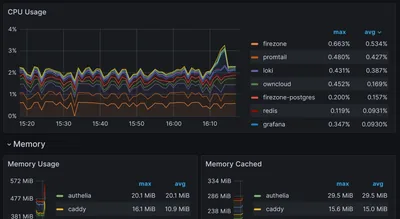
This article, effectively part 2 of my Grafana setup guide, explains how to set up Prometheus, Node Exporter, and cAdvisor with automatic HTTPS certificates (via Caddy) and OAuth single sign-on (via Authelia). This post is part of my series on home automation, networking & self-hosting that shows how to install, configure, and run a home server & network with dockerized or virtualized services.
Home Automation, Networking & Self-Hosting