Azure DevOps: Restricting Credentials to a Single Repository

Azure DevOps: Restricting Credentials to a Single Repository
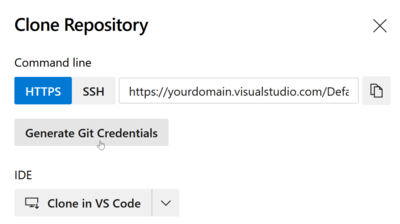
You may find yourself in a situation where you need to limit a set of credentials to a single Git repository only - like I did when I was working on a Git-based configuration backup solution for Linux. In such a case, you want the Git credentials you are storing per machine to grant access to that machine’s repository only. As useful as such a setup is from a security point of view, it is currently difficult to implement in Azure DevOps.
Software development

Linux Config File Version Control & Backup on GitHub

Linux Config File Version Control & Backup on GitHub
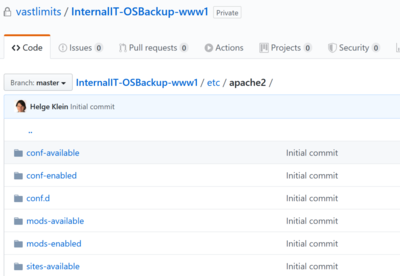
Linux famously stores all of its settings in files, making it easy to inspect, query, or backup the configuration with a plethora of tools, including Git. However, given that Git was conceived by the Linux community, there is surprisingly little integration. As a developer, I am used to managing everything with Git. Depending on my current degree of paranoia, I may put nearly or literally everything into version control. So where’s Git for Linux config files?
Software development

Find in Files With Grep-Like Context (Lines Surrounding Matches)

Find in Files With Grep-Like Context (Lines Surrounding Matches)
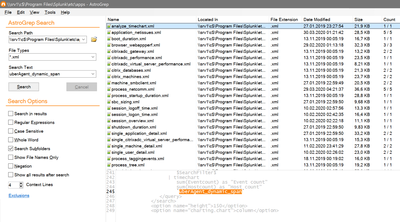
I sometimes need all occurrences of a search string in the files of a directory. OK, that’s easy. Here’s the difficult part: I need search results displayed with context around the matching lines. In other words: I need to know what is in the lines above and/or below the results. None of the text editors and IDEs I am using regularly seem to be able to do display search results with context lines. Enter AstroGrep.
Tips and Tools

Switching from Chrome to Firefox

Switching from Chrome to Firefox
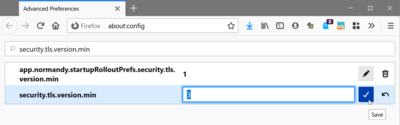
After many years as a happy user, I switched from Chrome to Firefox. How did that go? Astonishingly well! Here are some notes I took in the process. My History of Changing Browsers Netscape to Internet Explorer I think I started out with Netscape Navigator on Windows 95. My first change of browsers happened with Windows NT 4 and Internet Explorer 4. That was a great browser! Everybody switched to IE in the following years. Microsoft’s domination of the browser market (yes, that was a reality for many years) started right there with IE4. Internet Explorer was successful not only because it was bundled with the operating system, but also because it was a good application.
Applications

Looking for the Perfect Mechanical Keyboard (Office & Software Development)

Looking for the Perfect Mechanical Keyboard (Office & Software Development)
I am a mechanical keyboard aficionado. I guess this started in the late ’90s when I typed on a Cherry G80-3000-LSMDE for the first time. The low force required to press a key combined with the tiny click when a keystroke registered created a typing experience that was both easy and precise. I have not owned many keyboards that managed to recreate this typing experience (actually none). Here is a little account of my decade-long journey across keyboard land.
Hardware

Blocking Office Macros, Managing Windows & macOS via Intune

Blocking Office Macros, Managing Windows & macOS via Intune
How to centrally manage essential security settings of self-managed devices This is a guest post by Martin Kretzschmar, customer success engineer at vast limits, the uberAgent company. One thing I especially like about my everyday working life is the flexibility it offers. I appreciate the freedom of choice in terms of location, time and device. We want to avoid getting into micro-management but, being an IT company, we also need to provide the necessary security where needed.
Scripting

Total Commander: Getting Started

Total Commander: Getting Started
This article explains how to get started with Total Commander, one of those few magical tools that can boost your productivity as an IT pro significantly. It not only replaces File Explorer; it does so in a way that makes you wonder how you suffered Explorer for such a long time. It has keyboard shortcuts for everything and is super-configurable, fast and efficient. On top of that, it can probably replace half a dozen tools in addition to File Explorer.
Tips and Tools

Windows Server 2019 on Hetzner's EX62 & AX100 Dedicated Servers

Windows Server 2019 on Hetzner's EX62 & AX100 Dedicated Servers
This post is a follow-up to my 2016 article on how to install Windows Server on Hetzner’s EX51 hosted dedicated servers. Hetzner offers many types of dedicated servers at very attractive prices and - astonishingly - good support. This article lists some issues we encountered while installing Windows Server 2019 on the EX62 and AX100 servers and how we worked around them. Reading the earlier article is highly recommended.
Virtualization & Containers

Hardware-Encode Video in H.265 with Free Tools to Save Disk Space

Hardware-Encode Video in H.265 with Free Tools to Save Disk Space
Many web meeting services have a recording functionality. Most recordings are provided as MP4 files with the video encoded in H.264 because that offers the most universal compatibility. However, it also needs a lot of disk space. H.264 has a successor, H.265, which only requires half the space for the same visual quality. This post shows how to use StaxRip, a free tool, to re-encode H.264 video into H.265 quickly by making use of GPU hardware encoding.
Tips and Tools