Universal Windows App Data Storage for Admins

Universal Windows App Data Storage for Admins
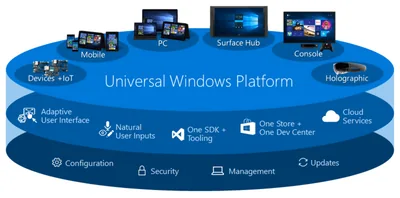
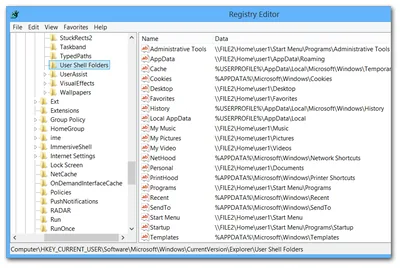
Universal Windows Platform (UWP) is the current name for a new type of application platform originally introduced with Windows 8 as “Metro” and later renamed to “Modern”. UWP apps can run on desktop, phone and console versions of Windows. They may only use a subset of the Windows API and run in a sandboxed environment. As a consequence, UWP apps can only use very limited areas of the file system. This article describes where UWP app settings are stored and how part of those settings roam between devices.
Windows Internals

Measuring the Impact of Folder Redirection - Application Launch & SMB Version

Measuring the Impact of Folder Redirection - Application Launch & SMB Version
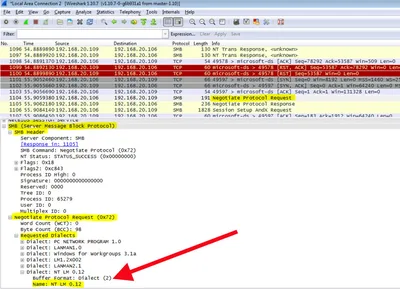
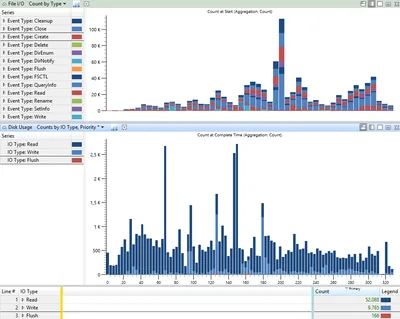
This is the fifth in a series of articles on folder redirection by Aaron Parker, Helge Klein and Shawn Bass. Part one: How Folder Redirection Impacts UX & Breaks Applications Part two: Visualizing the Impact of Folder Redirection – Logon and Application Launch Part three: Visualizing the Impact of Folder Redirection – Start Menu Search Part four: Measuring the Impact of Folder Redirection – User Logon Part five: this article Previously on this Series If you have been following this mini-series you know that after explaining the basics in part one we got to the juicy bits in parts two and three, where we presented videos that vividly show that folder redirection indeed speeds up user logons considerably, but at the price of potentially horrible user experience during the session. In part four Aaron Parker published our measurements of how folder redirection affects logon duration. This fifth part is about the effect folder redirection and SMB version can have on application launch speed.
Windows Internals

Visualizing the Impact of Folder Redirection – Start Menu Search

Visualizing the Impact of Folder Redirection – Start Menu Search
This is the third in a series of articles on folder redirection by Aaron Parker, Helge Klein and Shawn Bass. Part one: How Folder Redirection Impacts UX & Breaks Applications Part two: Visualizing the Impact of Folder Redirection – Logon and Application Launch Part three: this article Part four: Measuring the Impact of Folder Redirection – User Logon Previously on this Series If you have been following this mini-series you know that after explaining the basics in part one we got to the juicy bits in part two, where Aaron Parker presented videos that vividly show that folder redirection indeed speeds up user logons considerably, but at the price of potentially horrible user experience during the session. In this third part we are going to explore that in more detail.
Windows Internals

How Folder Redirection Impacts UX & Breaks Applications

How Folder Redirection Impacts UX & Breaks Applications
This is the first in a series of articles on folder redirection by Aaron Parker, Helge Klein and Shawn Bass. Part one: this article Part two: Visualizing the Impact of Folder Redirection – Logon and Application Launch Part three: Visualizing the Impact of Folder Redirection – Start Menu Search Part four: Measuring the Impact of Folder Redirection – User Logon Why Even Talk About Folder Redirection - in 2014!?! Working in the SBC/VDI space without stumbling across folder redirection is about as easy as travelling from Europe to the US as an IP packet without going through a Cisco router.
Windows Internals

Performance Impact of Windows Offline Files

A little known fact about the Windows Offline Files functionality is it slows down network operations considerably. Here is how and why. Test Results The following tests were performed with a set of 1,114 files of a total size of 408 MB. In the copy test the files were copied from a Windows 7 client machine to a file server over a 100 MBit LAN connection. In the delete test the files were deleted on the file server. No antivirus or other security products were running on either side. Each test was run twice, the table lists the average.
Networking

Windows Offline Files Survival Guide

Windows Offline Files Survival Guide
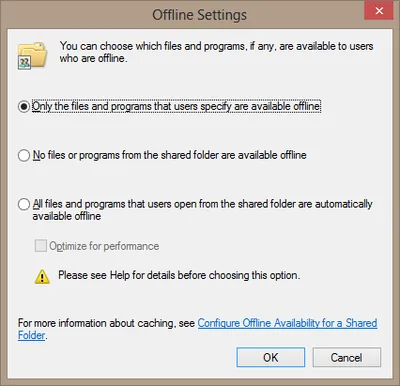
Windows Offline Files have a bad reputation. Many an administrator can tell a story where Offline Files caused issues that sometimes even required a reinstallation of the affected PC. But Microsoft has gradually improved the functionality and ironed out many of the bugs. Today - in Windows 7 SP1 with all post-SP1 fixes - Offline Files is a technology that still has its problems, but can be used in production - if you are adventurous. This article lists the gotchas I am aware of.
Networking

Dissecting a Shortcut

Ever wondered about the layout of shortcut files? Those tiny little buggers with the extension LNK you have probably dozens of on your desktop? For years the format was subject to reverse engineering and speculation. Last year Microsoft finally released an official format specification, documenting this surprisingly complex format. This article is the result of analyzing a typical LNK file with the help of Microsoft’s documentation and information from other sources.
Windows Internals

Q&A: How to Modify Permissions on Administrative Shares

Question by reader Kendra: I stumbled upon your blog/profile while I was looking for options to lockdown my administrative shares. Maybe you can help me. I’m a Network Administrator for an aerospace / engineering firm where users need administrative access to their PCs. The engineers work on very high-level OS and hardware development and need complete control of their systems. As you can imagine this poses a huge security problems for me at the network level. Currently my users are granted local administrator rights via an AD group (Local Admins) which is added to the local Administrators group on their local PCs. This makes it convenient for my engineers to login to any PC in the company and have local admin rights to do whatever they need to do. This also gives all of my users access to each other’s administrative shares across the network. For example, anyone in this AD group can run \computername\c$ and access any PC on my domain. I do NOT want to disable administrative shares as I am using them to automatically deploy desktop configuration settings (email, mapped network drives, printers, etc). Do you know of a way that I can give my engineers local admin rights without giving them rights to each other’s administrative shares? Any help would be greatly appreciated.
Windows Internals

How the App Paths Registry Key Makes Windows Both Faster and Safer

How the App Paths Registry Key Makes Windows Both Faster and Safer
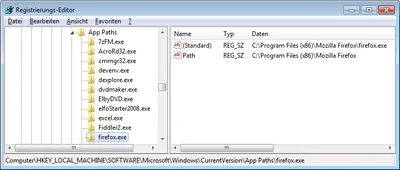
Why can you start Mozilla Firefox by typing “firefox” in the Run dialog and press enter? Firefox.exe is not located in any directory in the path. The same with Outlook (type “outlook”), PowerShell (“powershell”), VMware Workstation (“vmware”) or Adobe Reader (“acrord32”). This “magic application starting thingy” works because of a little-known Windows feature based on the “App Paths” registry key.
Windows Internals

How to Modify Default Share Permissions and Other Tweaks

NTFS permissions are stored in the file system, that is well known. But where are share permissions stored? As so often with Windows: in the registry. Network shares are defined by only a handful of relatively simple registry entries stored in the server service’s key which is, for historical reasons that go back way beyond OS/2, named “LanmanServer” (the workstation service is similarly named “LanmanWorkstation”).
Windows Internals