Virtualization & Containers

Category 19 posts
Hyper-VVirtualizationVMwareClusterESXVDIVHD

Docker (Compose) Cheat Sheet
Docker (Compose) Cheat Sheet
This is a collection of tips and tricks I picked up while learning and working with Docker and Docker Compose on my home server and web server. Container Configuration Environment Variables Where to Define Environment Variables Environment variables are a common way to configure containers. To keep things organized, don’t put them in your Compose file but into dedicated files with the extension env. env_file vs. .env .env file: this “special” file can be used to set environment variable for use in the Compose file. The variables specified in .env are not available in the container. env_file: this section in the Docker Compose file lets you specify files that contain environment variables for use in the container. The variables specified in this section are not available in the Compose file. Bind Mounts vs. Docker Volumes Bind mounts let you control the directory structure. This has the advantage that you know exactly what gets stored where in the host’s file system. It has the disadvantage that you need to create the directory structure before you can start a container. Docker volumes are managed by the Docker engine. They’re stored in /var/lib/docker, “far away” from the Compose file. Personally, I very much prefer bind mounts because of the control they offer. I use subdirectories relative to the Compose file, e.g., ./data:/data. Keeping the container configuration and the container data in one place facilitates backups. Networking Expose vs. Ports Expose serves as documentation which ports a container is accessible on. Note: container ports are always accessible from other containers on the same Docker network. Ports makes container ports accessible to the host. Most of my services are accessible through the Caddy reverse proxy only. Opening ports to the host is, therefore, only rarely necessary. Static IP Address on the Host Network Use the Macvlan Docker network to attach a container directly to the host’s local network. Assign a static IP address by specifying the ip_range parameter in the ipam section of the Docker Compose file. See this configuration for an example. Disable Macvlan Container/Host Isolation Containers on a Macvlan network are isolated from the host. While the container can contact other machines on the local network, communications with the host are blocked. To work around that, create a virtual link with a route that points to the container’s IP address (example). Time Zone Containers should know about your local time zone. To achieve that, make it a habit to pass in /etc/localtime as a read-only volume to every container:
Virtualization & Containers

Windows Server 2019 on Hetzner's EX62 & AX100 Dedicated Servers

Windows Server 2019 on Hetzner's EX62 & AX100 Dedicated Servers
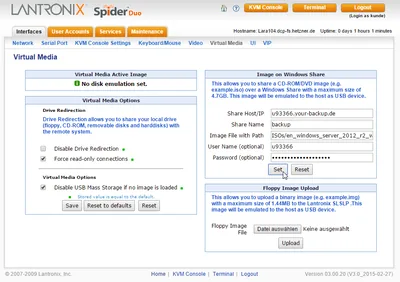
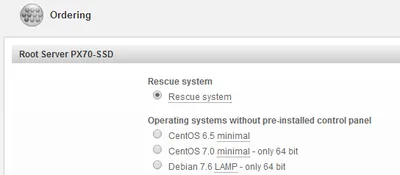
This post is a follow-up to my 2016 article on how to install Windows Server on Hetzner’s EX51 hosted dedicated servers. Hetzner offers many types of dedicated servers at very attractive prices and - astonishingly - good support. This article lists some issues we encountered while installing Windows Server 2019 on the EX62 and AX100 servers and how we worked around them. Reading the earlier article is highly recommended.
Virtualization & Containers
Hyper-V on Hetzner's EX51 Hosted Dedicated Servers

Hyper-V on Hetzner's EX51 Hosted Dedicated Servers
Your low-cost high-performance cloud data center building block. This guide explains how to install Windows Server 2012 R2 on Hetzner’s EX51-SSD dedicated servers. That line of servers is very attractive for virtualization as it combines a fast CPU with a good amount of RAM and SSD storage - at a price point of less than €60 per month. Another cool thing: Hetzner lets you install your own operating system. Here’s how.
Virtualization & Containers

Compacting Hyper-V VHDX Files of Ubuntu Linux VMs

Compacting Hyper-V VHDX Files of Ubuntu Linux VMs
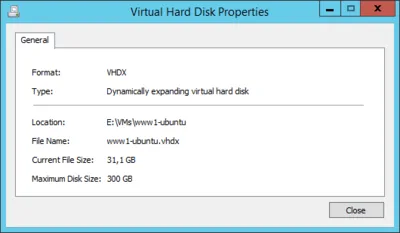
Note: if your guest OS supports the trim command you can use the faster method described in this article. If you configured your Hyper-V virtual machines with dynamically expanding virtual disks you will find that the VHDX files backing the virtual disks always grow in size, they never shrink. Eventually this becomes a problem either directly because of increased storage requirements or indirectly because backups take longer. Compacting VHDX files is possible but more complicated than I feel it should be. I have described the process for Windows VMs here. This article shows how to do it for Ubuntu Linux VMs.
Virtualization & Containers

Compacting Client Hyper-V VHDX Files

Compacting Client Hyper-V VHDX Files
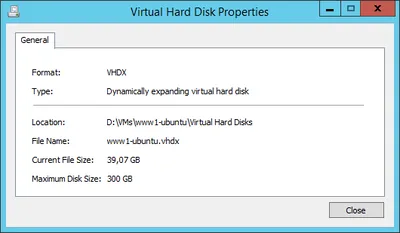
Virtual hard disks have the same tendency to grow in size as regular disks have to fill up. Deduplication is a great way to battle this, but unfortunately it is not available for Windows 8 Client Hyper-V. I know that hacks are available describing how to transfer the relevant DLLs from Server 2012 but I value my data too much to try that. The only thing left in order to regain valuable (SSD) disk space is to compact the VHDX. That, however, is more difficult than it should be.
Virtualization & Containers

Virtualization - Old Hat?

Although humans in general and members of its subspecies “marketing manager” in particular tend to treat currently “hot” topics as new and revolutionary, they only rarely are. In fact, “new” should be considered as in “new wine in old bottles” rather than in “did not exist before”. Take virtualization. Although the topic of the day seems to be cloud computing, virtualization can probably still be called “hot” (especially since a cloud also is a kind of virtualization). But is it new? Judge for yourself: Below I have compiled a list of boring old technologies that employ virtualization.
Virtualization & Containers

Is VMware Clustering / VMotion Complex Compared to Microsoft Failover Clustering?

My last post on VMware VMotion urged several readers to protest, maybe because of its provocative title. What I did was to compare VMware clustering with Microsoft failover clustering. I got to the conclusion that both significantly add to the complexity of the environment. Interestingly, most commenters said, yes, Microsoft clustering is complex, but no, VMware clustering is not, yet failed to explain exactly why.
Virtualization & Containers

VMotion Is Hyped by Consultants, But Do Admins Even Use It?

Some time ago I attended a presentation by a former VMware, now Microsoft employee who claimed that Hyper-V’s lack of Live Migration aka VMotion is not relevant at all. According to him, the only people vigorously demanding such a feature are consultants, never customers. At the time I thought: “What a silly marketing number this is. Microsoft does not have it, so they tell everyone that it is not really needed until they have it.”
Virtualization & Containers

VMware vs. Microsoft: Why Memory Overcommitment is Useful in Production and Why Microsoft Denies it

In the ongoing virtualization war much has been written (pro and con) about the value of memory overcommitment, a feature VMware ESX has and Microsoft Hyper-V is lacking (XenServer, too, for that matter). But only few people take a look at what the term overcommitment actually means. In this article I will explain how overcommitment works, why it greatly benefits VDI installations and why Microsoft denies exactly this.
Virtualization & Containers