Error Message Explained: User Profile Service Failed the Logon

Error Message Explained: User Profile Service Failed the Logon
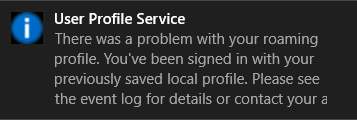
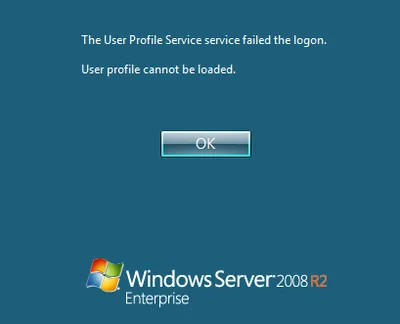
This article is part of Helge’s Profile Toolkit, a set of posts explaining the knowledge and tools required to tame Windows user profiles. Many errors related to user profiles result in the user getting a temporary profile instead of the regular local or roaming profile. I have written about possible causes for that here. In addition to that, there is an entirely different category of errors that occur when even a temporary profile cannot be created. This article describes likely causes.
User Profiles

Folder Redirection - Denial of Service Waiting to Happen

Folder Redirection - Denial of Service Waiting to Happen
This article is part of Helge’s Profile Toolkit, a set of posts explaining the knowledge and tools required to tame Windows user profiles. One of the problems inherent to roaming user profiles is that they are copied to the local computer during logon. That takes time. Hence the motivation to limit the size of user profiles. One way of doing that is to put a quota on them, another one is folder redirection. Although widely used, redirection has its problems; problems so grave that Shawn Bass started to campaign against using folder redirection altogether. In this article I describe why Shawn despises redirection, which alternatives are available now what we can hope for in the future.
User Profiles

Differences Between Citrix Profile Management and Immidio Flex Profiles

From time to time I get asked about the differences between Citrix’s and Immidio’s profile management products. Here are some common questions along with my answers. Can the product be used to provide a single profile on multiple platforms? Citrix Profile Management 3.x does not have cross-platform capabilities built in. That means you cannot use an XP profile on Windows 7, but you can use the same profile on 32 and 64 bit Windows, if you dare. Citrix has a beta version of PM with cross-platform support for MS Office and Internet Explorer. Flex Profiles does not have true cross-platform capabilities either, but it can be used to make settings available cross-platform that have the same format on all platforms. Example: HKCU\Software\Paint.NET is probably a no-brainer whereas copying HKCU\Software\Microsoft\Internet Explorer around is probably a bad idea. Can the product be used on SBC, VDI and fat clients? This is true for both Citrix PM and Flex Profiles (licensing restrictions may apply). Can the product be used to preconfigure a user’s environment? Both Citrix Profile Management and Immidio Flex Profiles are classic profile management products without the capability to set up a specific user environment or distribute updated settings to all users. That is typically referred to as “user environment management” and two free implementations are Microsoft’s Group Policy Preferences and Pierre Marmignon’s Virtual User Environment Manager. Of course there are many alternatives by companies like AppSense or RES. Can portions of the profile be saved during a session as well as at logoff and at disconnects? Citrix Profile Management loads (respectively streams) the profile at logon and writes changes back at logoff. It also has a feature called “active write back” which, if enabled, causes changed files to be written back to the user store immediately. This works for files only, not for registry keys. Flex Profiles typically is configured to import settings at logon and export again at logoff. Since Flex uses a simple tool for the imports/exports it is conceivable to call that tool during a session as well. There is, however, no built-in support for that. Neither is there for exporting settings at disconnects. Can it be configured what to save and what not? Both products are very flexible when it comes to which parts of the profile should be saved. Yet there is one major difference: by default, Profile Management saves everything whereas Flex Profiles saves nothing. As a consequence, PM just works out of the box whereas Flex needs to be configured for each application individually.
User Profiles

Why User Profiles Always Get Bigger, Never Smaller: Installers

This article is part of Helge’s Profile Toolkit, a set of posts explaining the knowledge and tools required to tame Windows user profiles. One of the constants in the Windows universe is the knowledge that user profiles increase in size over time. They tend to accumulate all kinds of junk and become bloated which is especially cumbersome in the case of roaming profiles because all that “weight” is copied across the network time and again, slowing down the logon process.
User Profiles

Can I Use the Same User Profile on 32-bit and 64-bit Windows?

This article is part of Helge’s Profile Toolkit, a set of posts explaining the knowledge and tools required to tame Windows user profiles. More and more people are upgrading to a 64-bit version of Windows. Many of them would probably like to keep their existing configuration. The question is: can you use the 32-bit profile on Windows x64? Is there even such a thing as a 32-bit or a 64-bit user profile? Or are profiles independent of the system’s bitness?
User Profiles

Free Script: User Profile Domain Migration with SetACL

This article is part of Helge’s Profile Toolkit, a set of posts explaining the knowledge and tools required to tame Windows user profiles. When administrators migrate user accounts between domains, they typically re-ACL those server resources users have access to. In plain English: they copy or move the permissions from the accounts of the old domain to the corresponding accounts of the new domain. There are various ways to do that. In this article, I present a simple way to re-ACL roaming user profiles.
User Profiles

New OS = New Profile = User State Lost. True or False?

New OS = New Profile = User State Lost. True or False?
Going to Windows 7 or Server 2008 (R2) means trouble. Let me use an analogy to explain why. You are in charge of moving people from their old houses to shiny new buildings. You have planned everything perfectly. The new homes are beautiful and located in a great neighborhood. But still, after moving house, people start to complain. They do not feel at home. You forgot to take all those seemingly unimportant things that make a house a home: pictures, plants, all sorts of personal stuff. Impossible, you say? People would never leave their personal belongings behind? I agree: when it comes to moving house, not taking at least most of the personal stuff is highly unlikely. But in IT it is common practice.
User Profiles