Streamed Video Audio Sync Problems on Windows 10 / Realtek Sound

Streamed Video Audio Sync Problems on Windows 10 / Realtek Sound
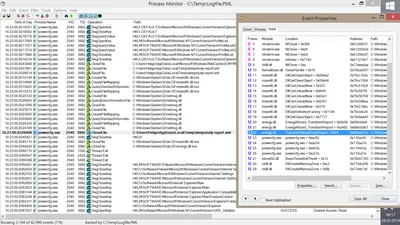
I have been watching streaming video for a very long time. It always worked beautifully, in high resolutions and from any site: YouTube, Netflix, Amazon Prime Video, you name it. Then suddenly I started to notice lip sync issues, probably around autumn/winter 2016. The longer a video played, the more the audio would get out of sync with the video, making watching and listening increasingly awkward. Recently I finally found the time to analyze these audio/video sync problems. Read on for a playback troubleshooting methodology followed by a workaround for the issue at hand.
Troubleshooting

Solved: Citrix Desktop Service Fails to Start, Logs Event 1006

Solved: Citrix Desktop Service Fails to Start, Logs Event 1006
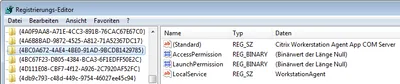
I am sure you all love XenDesktop VDAs that just won’t register. Although this is becoming less and less of a problem I had another case recently. Checking the Obvious When a XenDesktop VDA is unregistered the first thing I do is check if the VM is actually turned on. With that out of the way I turn to the application event log, looking for entries with the source Citrix Desktop Service. This usually tells you what the problem is. Not this time, however. Apparently the Citrix Desktop Service (aka WorkstationAgent) ran into some error during startup. It logged the following event with ID 1006 and stopped:
Citrix/Terminal Services/Remote Desktop Services

Windows Update Error 80072EFE in Client Hyper-V Guest

Windows Update Error 80072EFE in Client Hyper-V Guest
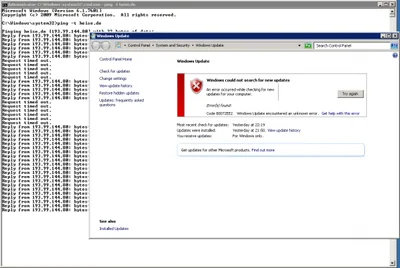
Client Hyper-V was one of the things I was most looking forward to when I upgraded to Windows 8. I immediately added the Hyper-V feature and went to installing Server 2008 R2 in the first virtual machine. That went well enough and nothing extraordinary happened until I tried to run Windows Update in the new VM. Try as I might, Windows Update would always fail with the error code 80072EFE. Sometimes it chose to fail with 80072EE2, though.
Troubleshooting