Azure DevOps: Restricting Credentials to a Single Repository

Azure DevOps: Restricting Credentials to a Single Repository
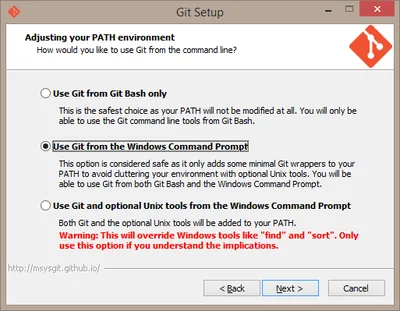
You may find yourself in a situation where you need to limit a set of credentials to a single Git repository only - like I did when I was working on a Git-based configuration backup solution for Linux. In such a case, you want the Git credentials you are storing per machine to grant access to that machine’s repository only. As useful as such a setup is from a security point of view, it is currently difficult to implement in Azure DevOps.
Software development

Linux Config File Version Control & Backup on GitHub

Linux Config File Version Control & Backup on GitHub
Linux famously stores all of its settings in files, making it easy to inspect, query, or backup the configuration with a plethora of tools, including Git. However, given that Git was conceived by the Linux community, there is surprisingly little integration. As a developer, I am used to managing everything with Git. Depending on my current degree of paranoia, I may put nearly or literally everything into version control. So where’s Git for Linux config files?
Software development

Converting Mercurial Repositories to Git on Windows

Converting Mercurial Repositories to Git on Windows
If you work with text, you need version control. That rule applies regardless of whether you write code or poetry (some might argue that those two are the same, anyway). Ignoring the CVS and SVN dinosaurs two distributed version control systems are being regarded as state of the art: Git and Mercurial. Functionality-wise they are nearly identical, but it seems that Git, with its open-source background, is poised to take over the enterprise, too, where Mercurial used to be strongest.
Software development

Real-World Example: WiX/MSI Application Installer

Real-World Example: WiX/MSI Application Installer
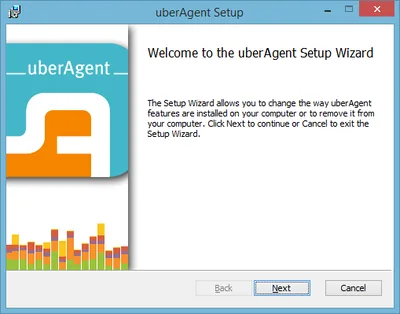
Creating an installer that does not suck is hard. The tools available are expensive, inadequate, overly complicated and/or poorly documented (pick any combination). WiX is one of the better choices. It is free and it is used for some Microsoft products. But WiX is just a wrapper around MSI and as such is unnecessarily difficult to use. In an effort to make life better for fellow developers I am publishing the full source code of uberAgent’s installer here.
Software development

DsGetDcName Timeout

Today I was looking for the source of frequent delays when setting permissions from my new application SetACL Studio. I sprinkled the code with timestamped debug statements like these… System.Diagnostics.Debug.WriteLine(DateTime.Now + " - 1"); // Do something System.Diagnostics.Debug.WriteLine(DateTime.Now + " - 2"); …and found that the delays always had a duration of seven seconds. Wait - “inexplicable” delays of constant length - that smells of timeouts!
Software development

How to Enable Drag and Drop for an Elevated MFC Application on Windows

Finding good information on how to enable drag and drop for MFC applications is hard enough (why?). But just when you think you should have it working, you hit a very solid wall: UIPI (User Interface Privilege Isolation, a variant of UAC, User Account Control). Because of “security” reasons, UIPI disables drag and drop from medium integrity processes (Explorer) to high integrity (aka elevated) processes by filtering out most window messages, including those required for drag and drop. In essence drag and drop from Explorer to your elevated application does not work.
Software development

Visual Studio: Fixing Broken $(WindowsSdkDir) Variable

If you get weird errors in Visual Studio that basically state files like Windows.h cannot be found, the reason may be a missing or incorrect WindowsSdkDir variable. In my case, working with Visual Studio 2008 SP1 (32 bit) on Windows 7 x64 (64 bit) everything was fine until I installed the Windows 7 SDK. After that, no SDK files could be found any more and nothing would compile. Uninstalling the SDK (which I did not really need anyway - I had installed it only to get at XPerf) did not help. After some research, I found out that the Visual Studio internal variable WindowsSdkDir (which is not an environment variable) was missing from the registry. After adding the following, everything worked like a charm again:
Software development