Finding (Executables in) User-Writeable Directories

Finding (Executables in) User-Writeable Directories
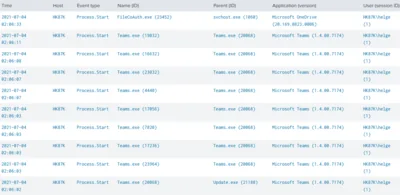
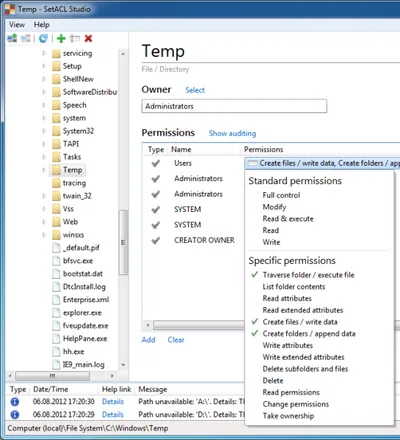
This article presents two different detection types for insecure filesystem permissions on Windows endpoints: scanning for directories that are user-writable, and detecting processes that are started from user-writeable directories. Directory Scan With ListUserWriteableDirectories & SetACL My ListUserWriteableDirectories script is an implementation of the first detection type: it scans the filesystem listing any permissions not known to be safe.
Security

Top 10 IT Security Tips for Individual Users

Top 10 IT Security Tips for Individual Users
This is a list of simple things that will protect you from nearly all the real-world IT security issues affecting individuals and SOHO users. 1. Install All the Updates What Should You Do? Enable automatic updates wherever possible Don’t use obsolete software versions Why Is It Important? Older software versions often have known security issues for which exploits are readily available. This means that even script kiddies can easily attack large numbers of users.
Security

Blocking Office Macros, Managing Windows & macOS via Intune

Blocking Office Macros, Managing Windows & macOS via Intune
How to centrally manage essential security settings of self-managed devices This is a guest post by Martin Kretzschmar, customer success engineer at vast limits, the uberAgent company. One thing I especially like about my everyday working life is the flexibility it offers. I appreciate the freedom of choice in terms of location, time and device. We want to avoid getting into micro-management but, being an IT company, we also need to provide the necessary security where needed.
Scripting

Browser Ad Blockers and Privacy

Browser Ad Blockers and Privacy
You have probably been in this situation: on some shopping site you put an article in your cart, but decide not to buy it after all. Later on, you notice that you are getting targeted ads for the exact same product on totally unrelated sites - or so you think. There is, however, a common denominator: the ad network. It tracks you quite effectively as you move from site to site. Many people are not exactly happy about that and turn to ad blockers to guard their privacy. This article looks at one way to measure the ad blockers’ effectiveness in terms of keeping their users’ privacy.
Security

Remote Management of Windows PCs in an Isolated Security Zone

Remote Management of Windows PCs in an Isolated Security Zone
With the advent of BYO it has become fashionable to regard PCs as untrusted devices that should be isolated in a dedicated security zone. Zoning Such an approach has a big advantage: by separating clients from servers it is possible to treat them differently and potentially apply more relaxed security policies - which is a basic requirement for BYO. In a truly BYO-only environment you block everything except Citrix ICA or some other remoting procotol of choice at the firewall and life is good. In real corporate networks things are a bit more complicated, however. Say you want to isolate your managed Windows PCs. In that case you might want to be able to manage them remotely from systems outside the client security zone (e.g. from management terminal servers). And suddenly you have a problem: Windows management protocols, especially RPC and DCOM, are not exactly firewall-friendly.
Security

AppLocker - Solutions to Common Problems

AppLocker - Solutions to Common Problems
This article is part of my small series about AppLocker, a technology built into Windows that enables administrators to audit and optionally block application execution. AppLocker and UAC One of the default rules allows unrestricted application execution for administrators. That is only sensible. After all, someone needs to be able to troubleshoot and perform maintenance. However, if UAC is enabled, that rule is not very useful. Remember: UAC filters the SID for the group Administrators from the access token during normal operation. With the Administrators’ SID gone, AppLocker is active for administrators in the same way it is for all other users. Administrators wishing to bypass AppLocker need to start executables from an elevated command prompt (or right-click and select run as administrator), which is often impractical.
Security