Blocking Office Macros, Managing Windows & macOS via Intune

Blocking Office Macros, Managing Windows & macOS via Intune
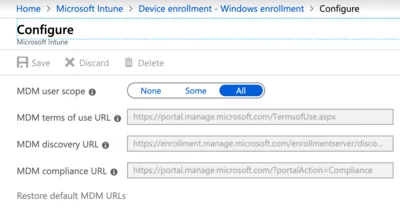
How to centrally manage essential security settings of self-managed devices This is a guest post by Martin Kretzschmar, customer success engineer at vast limits, the uberAgent company. One thing I especially like about my everyday working life is the flexibility it offers. I appreciate the freedom of choice in terms of location, time and device. We want to avoid getting into micro-management but, being an IT company, we also need to provide the necessary security where needed.
Scripting

PowerShell Script: Test Chrome, Firefox & IE Browser Performance

PowerShell Script: Test Chrome, Firefox & IE Browser Performance
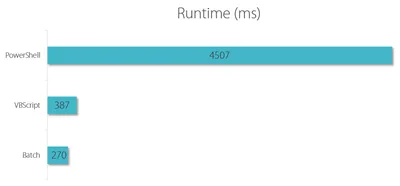
There is more than one way to test the performance of web browsers like Chrome, Firefox, or IE, but regardless of how you do it, you need a consistent workload that makes the browsers comparable. Unless you are testing with synthetic benchmarks (which come with a plethora of problems of their own) you need a way to automate browsers opening tabs and loading URLs. This article presents a simple solution to do just that.
Scripting

Creating Realistic Test User Accounts in Active Directory

Creating Realistic Test User Accounts in Active Directory
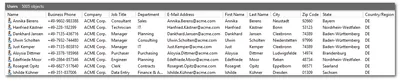
When you need to simulate a real Active Directory with thousands of users you quickly find that creating realistic test accounts is not trivial. Sure enough, you can whip up a quick PowerShell one-liner that creates any number of accounts, but what if you need real first and last names? Real (existing) addresses? Postal codes matching phone area codes? I could go on. The point is that you need two things: input files with names, addresses etc. And script logic that creates user accounts from that data. This blog post provides both.
Scripting

Configuring Citrix ShareFile Sync from PowerShell

Configuring Citrix ShareFile Sync from PowerShell
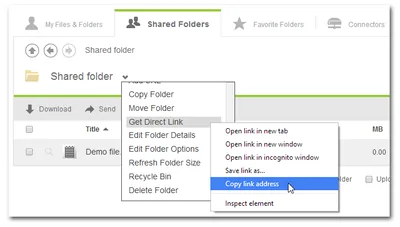
When you have a cloud-based file sharing service it makes a lot of sense to synchronize part or all of the data with your desktop computer. Citrix ShareFile offers the Sync for Windows tool for that purpose. However, once you open its configuration screen you notice that has a severe restriction: it can only synchronize to a single local folder. In many cases it would make much more sense to synchronize different cloud folders to different locations on your hard disk. When I complained to the product manager Peter Schulz about this I learned about a hidden gem: the single folder restriction is only present in the UI; the underlying sync engine is much more flexible. And the best thing is: the sync engine can be configured from PowerShell. Here is how.
Citrix/Terminal Services/Remote Desktop Services

Shutting Down Unused Persistent XenDesktop VMs

Shutting Down Unused Persistent XenDesktop VMs
When you use XenDesktop the only way it makes sense you may find that Citrix has not really put much effort into making that a smooth experience. Persistent is a Second-Grade Citizen XenDesktop is really designed to be used with pooled desktops - machines that are reset to a pristine state when the user logs off. Of course, stateless desktops are much better (and, importantly, cheaper) served from XenApp. This has been the topic of many a debate which I will not repeat here. But I will state that if you give a so-called knowledge worker a personal desktop, you better make sure that desktop is persistent.
Citrix/Terminal Services/Remote Desktop Services

Syntax Highlighting PowerShell Code in HTML - With a PowerShell Script

When you are publishing PowerShell code on the web, you soon discover that it looks much nicer with syntax highlighting - as did I. There are several ways to add syntax highlighting to your blog or web site, most of which rely on external (Wordpress) plugins or JavaScript on the page. I do not like that approach too much. I prefer to have the syntax highlighting embedded in the HTML code. That way I have full control over the appearance (and the highlighting also works in the RSS feed). The logical solution is to use a script that embeds HTML coloring tags directly into the script.
Scripting

PowerShell Script Lists App-V Package Dependencies (Dynamic Suite Composition, DSC)

Update 2010-04-20: Thanks to Stefan Henseler the script now works correctly with multiple dependencies in a single file. Be sure to download the current version below. App-V’s Dynamic Suite Composition is a powerful feature in that it allows multiple “bubbles” to share the same virtual environment. In other words, package A can be made dependent on package B. But if DSC is used extensively, dependencies between packages tend to become difficult to manage - there seems to be no simple way of listing all packages’ dependencies. Well, I have written a PowerShell script that does just that.
Scripting

Useful PowerShell Scriptlets for Files and Folders

What is the best way to learn PowerShell? Never use cmd.exe again! With PowerShell 2.0 on my Windows 7 machine I decided it finally is time to polish my rusty knowledge of the language dating back to the days when PowerShell was still called Monad. In my attempt to re-familiarize myself with PoSh I consciously use it for tasks that would take me mere seconds with other tools like cmd.exe, or even old friends like Perl. But, hey, learning takes time, and there is nothing better than practice! Here are a couple of things I have learned en route.
Scripting