Home Automation, Networking & Self-Hosting
Category 41 posts
DockerCaddySSOAutheliaHome AssistantAuthenticationLogs & Metrics

Samba File Server With POSIX ACLs in a Docker Container

Samba File Server With POSIX ACLs in a Docker Container
This article explains how to set up a Samba file server as an Active Directory domain member in a Docker container. This newer configuration differs from my earlier setup in one essential point: it uses POSIX instead of Windows ACLs, simplifying the administration and making it possible to modify files via other protocols than SMB. This post is part of my series on home automation, networking & self-hosting that shows how to install, configure, and run a home server with dockerized or virtualized services.
Home Automation, Networking & Self-Hosting

Samba & SMB Web Access Through Filestash With Passthrough Auth

Samba & SMB Web Access Through Filestash With Passthrough Auth
This article explains how to set up Filestash in a Docker container as a web interface for browser-based access to a Samba or SMB file server. This newer configuration improves on my earlier Filebrowser setup in one essential point: the SMB storage is accessed as the authenticating user, i.e., the user authentication is passed through to the backend storage. This means that each user sees exactly the directories and files they have access to. When a new file is created through Filestash, it’s stored with the proper permissions as if it had been created it via SMB.
Home Automation, Networking & Self-Hosting

A Look Back on 30+ Months of Self-Hosting

A Look Back on 30+ Months of Self-Hosting
A long time ago, when I was working as an IT consultant, a younger colleague asked me if I knew of a book that described how to set up an Active Directory domain so that it’d be ready for production and the setup incorporate all the best practices. I didn’t have an answer for him then. Looking back at what I’ve done in the past 30+ months I realized that I’ve compiled what he asked for - just not on the topic of Active Directory but on building a self-hosted home server that provides all services locally without any reliance on cloud services.
Home Automation, Networking & Self-Hosting

How to Sync & Backup Frigate NVR Recordings to Offsite Cloud Storage

How to Sync & Backup Frigate NVR Recordings to Offsite Cloud Storage
This article shows how to synchronize your Frigate NVR recordings to offsite cloud storage for backup and safekeeping in case your onsite NVR is stolen by a burglar. Toolkit: Backblaze + rclone + Systemd Service Script I’m using Backblaze as cloud storage because it’s fast and inexpensive. It also offers temporary immutability, preventing burglars who gained access to the source machine from deleting uploaded recordings for a configurable length of time. The backup job is left to rclone, a modern file copy and sync tool for a multitude a cloud storage providers. A custom systemd service controls the backup process via a little script. To ensure low upload latency, it monitors Frigate’s recordings directory for changes and invokes rclone immediately when a new file has been created.
Home Automation, Networking & Self-Hosting
Elasticsearch ES|QL: Energy Consumption Chart With Home Assistant Data

Elasticsearch ES|QL: Energy Consumption Chart With Home Assistant Data
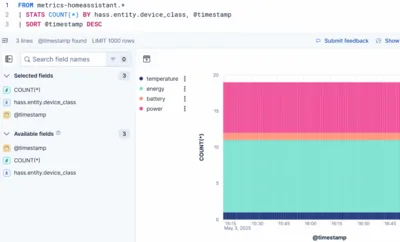
Elasticsearch comes with multiple query languages, only one of which makes sense to use for time-series data as ours: ES|QL. It’s obviously modeled after Splunk’s SPL, is easy to read, understand, and write - helped by fantastic autocomplete in the web UI. This article explains some important ES|QL concepts by showing you how to create a chart that visualizes your home’s energy consumption.
Home Automation, Networking & Self-Hosting

Elasticsearch: Long-Term Storage of Home Assistant Data

Elasticsearch: Long-Term Storage of Home Assistant Data
This article describes how to send Home Assistant metrics to Elasticsearch for long-term storage and visualization. It focuses on the integration between the two products and on how to configure Elasticsearch. This post is part of my series on home automation, networking & self-hosting that shows how to install, configure, and run a home server & network with dockerized or virtualized services.
Home Automation, Networking & Self-Hosting
VictoriaMetrics: Long-Term Storage of Home Assistant Data

VictoriaMetrics: Long-Term Storage of Home Assistant Data
This article explains how to set up VictoriaMetrics in a Docker container with automatic HTTPS via Caddy. It also shows how to forward Home Assistant data to VictoriaMetrics for long-term storage and how to query the data from Grafana. This post is part of my series on home automation, networking & self-hosting that shows how to install, configure, and run a home server & network with dockerized or virtualized services.
Home Automation, Networking & Self-Hosting
Simple OPNsense Firewall Rules for a Secure Smart Home

Simple OPNsense Firewall Rules for a Secure Smart Home
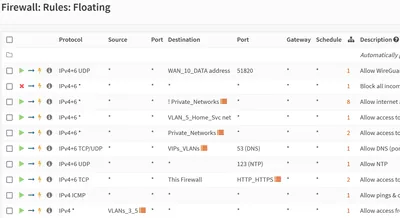
This article presents a simple, balanced OPNsense firewall configuration for a secure smart home. The config provides good security while still allowing the freedom that is required by a family that is comprised mostly of people who wouldn’t call themselves IT geeks. This post is part of my series on home automation, networking & self-hosting that shows how to install, configure, and run a home server & network with dockerized or virtualized services.
Home Automation, Networking & Self-Hosting
Samba File Server: Web Access Through Filebrowser With SSO & HTTPS

Samba File Server: Web Access Through Filebrowser With SSO & HTTPS
This article explains how to set up Filebrowser in a Docker container as a web interface for browser-based access to a Samba file server. Please note that in my own use this configuration has been superseded by a Filestash setup which has the advantage of accessing the storage as the authenticating user. Filebrowser and other tools like it have the disadvantage of accessing the file system through one “service” user account. This means that what the browser shows is not what the actual user is allowed to access but instead what the service account has permission to read. Also, when files are created, the owning user is the service account. This post is part of my series on home automation, networking & self-hosting that shows how to install, configure, and run a home server with dockerized or virtualized services. This article is part of a mini-series about running Samba Active Directory and a file server service in a Docker container on a home server:
Home Automation, Networking & Self-Hosting