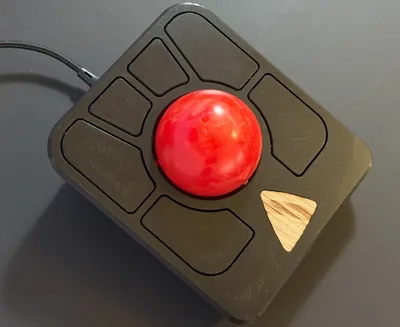
Ploopy Adept - Ergonomic Trackball With Hyperscrolling

Ploopy Adept - Ergonomic Trackball With Hyperscrolling
If you’re plagued by RSI symptoms, it’s high time you evaluate alternatives to traditional keyboards and mice. For me, moving the mouse to my left hand nearly twenty years ago (even though I’m not left-handed) seemed to do the trick. Ultimately, though, it proved not to be enough. Much later I switched to a lightweight gaming mouse to reduce the weight I’d have to lug around. That helped, but only for a time. I also experimented with various types of split keyboards. But that’s a topic for another post.
Hardware

Looking for the Perfect Mechanical Keyboard (Office & Software Development)

Looking for the Perfect Mechanical Keyboard (Office & Software Development)
I am a mechanical keyboard aficionado. I guess this started in the late ’90s when I typed on a Cherry G80-3000-LSMDE for the first time. The low force required to press a key combined with the tiny click when a keystroke registered created a typing experience that was both easy and precise. I have not owned many keyboards that managed to recreate this typing experience (actually none). Here is a little account of my decade-long journey across keyboard land.
Hardware

Lenovo Yoga 900: SSD Upgrade & Clean Windows Installation

Lenovo Yoga 900: SSD Upgrade & Clean Windows Installation
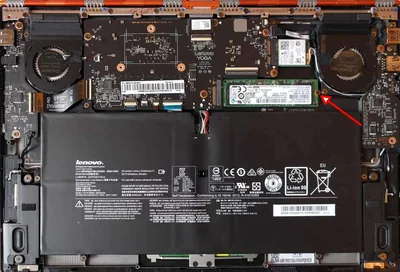
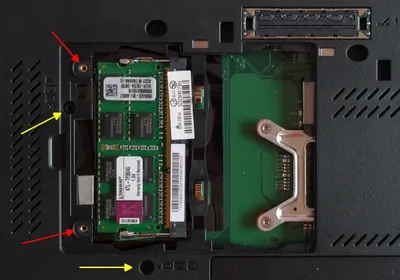
The Lenovo Yoga 900 packs some amazing hardware in an ultraportable 1.29 kg 13" chassis: high-resolution 3200x1800 screen, Intel Core i7-6500U CPU, 16 GB RAM. The only downsides I found so far: glossy display, maximum SSD size is 512 GB, OS is Windows Home, not Pro. There is not much we can do about the former, but we can change latter two pretty easily. This article explains how to upgrade the SSD and install a clean Windows 10 Pro without any Lenovo bloatware.
Hardware

Finding the Perfect Laptop, 2014 Edition

Finding the Perfect Laptop, 2014 Edition
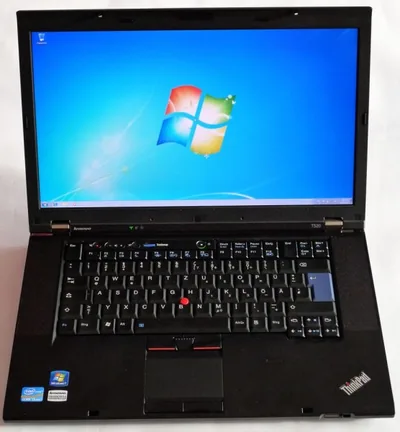
My current laptop is nearly three years old. That is a pretty long time, and I have contemplated getting a new machine more than once in the last years. I even went so far as to buy a more fancy replacement, but that attempt failed miserably. After using the new device for only a few days I realized that I had taken my Lenovo T520’s qualities for granted too much. I had thought a sleeker, more modern notebook would have all its qualities, too, albeit in a more appealing hull. Boy, was I wrong. As I wrote after trying to work on a Sony:
Hardware

Recommendation for a USB 3.0 JBOD Enclosure

Recommendation for a USB 3.0 JBOD Enclosure
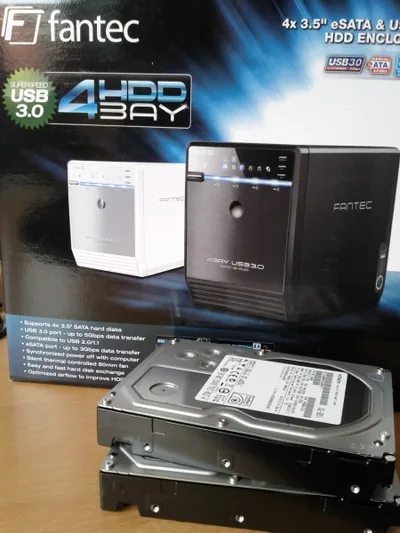
FantecA drive enclosure for 4 SATA drives, connected to the host via USB 3.0 and presented as JOBDs is a great and inexpensive method of adding a lot of hard drive capacity to your computer, e.g. for backup purposes. The enclosure model I have bought is the Fantec QB-35US3. It is compact, the fan not too loud and vibrations from the four drives are kept amazingly low. It can be connected via USB 3.0 and eSATA, but USB is simpler because eSATA requires a port with a multiplier-capable chipset, which is rare. At a retail price of around € 150 the Fantec is relatively inexpensive.
Hardware

Finding the Perfect Laptop Computer

Finding the Perfect Laptop Computer
For a geek, one of the most fun things is choosing a new toy. I experienced this once again when I needed to buy a new laptop computer. The selection process was a lengthy one, during which I looked at and considered practically every model on the market. The benefits of that are twofold: I get a new device, whose strengths I appreciate and whose weaknesses I accept because I know there is no other model better suited for my needs on the market. You get this: a very personal laptop computer buyer’s guide.
Hardware