Citrix/Terminal Services/Remote Desktop Services

Category 46 posts
CitrixTerminal ServicesXenDesktopXenAppClearTypeFont SmoothingRemote Desktop Services

XenApp and RDS Sizing Part 4 – Calculating the New Farm's Capacity

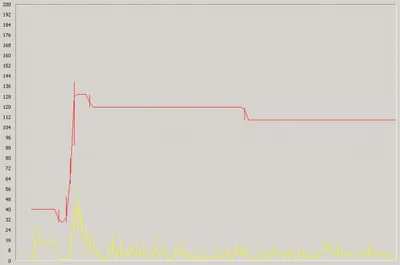
This article is part of a mini-series. You can find the other articles here. In the previous articles in this series we saw how to calculate a farm’s capacity and then how to determine its load. With that information and knowledge of our methodology we can go about calculating the capacity of the new farm, in other words doing the actual sizing. Which is dead simple, by the way.
Citrix/Terminal Services/Remote Desktop Services
Batch Delete Issued Citrix User/Device Licenses with Udadmin

Udamin.exe is a handy tool for managing Citrix user/device licenses. To get a list of currently issued licenses run it like this: C:\Program Files\Citrix\Licensing\LS>udadmin.exe -list Usage data is 15 minutes old. Next update in 1 minutes. Users: username1 XDT_PLT_UD 2013.0815 username2 XDT_PLT_UD 2013.0815 Devices: computername1 XDT_PLT_UD 2013.0815 computername2 XDT_PLT_UD 2013.0815 You can delete individual license assignments like this:
Citrix/Terminal Services/Remote Desktop Services

XenApp and RDS Sizing Part 2 - Determining Farm Capacity

XenApp and RDS Sizing Part 2 - Determining Farm Capacity
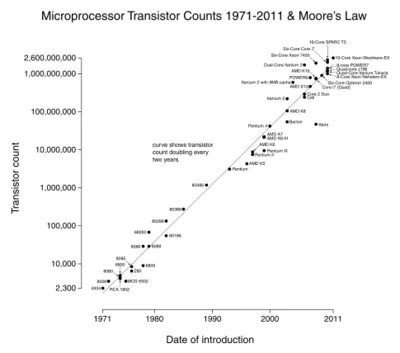
This article is part of a mini-series. You can find the other articles here. As we have seen in part 1 of this series, when sizing a new farm the first thing we need to know is the capacity of the existing farm. Armed with data on capacity and additionally load, we can easily calculate the capacity of a new farm. In this article I describe how to determine capacity of the four relevant hardware components of a XenApp server: CPU, memory, storage and network.
Citrix/Terminal Services/Remote Desktop Services

Do Shadow Keys Still Work in Server 2008 R2?

Shadow keys have been around forever, since way before Terminal Services were renamed to Remote Desktop Services (does anybody use that name?). It seemed they would stay in the OS forever, too. Yet, when installing applications on Server 2008 R2 many people notice that the shadow key area does not get populated. Let us find out why that is the case and if shadow keys still work in Server 2008 R2.
Citrix/Terminal Services/Remote Desktop Services
Script Deletes Orphaned Printer Ports

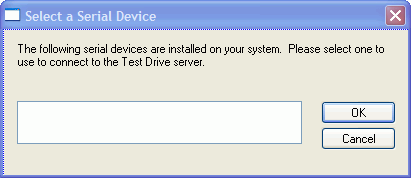
The script published in this article was kindly contributed by Bo Riis, a sysadmin working at Danish hosting company dandomain. Here is what he writes about it: Recently I had some issues with MS Office getting really slow on some of our customers’ terminal servers. After some intensive debugging we came to the conclusion that when users disconnected a session they left behind their open printer ports. It seems like that these ports don’t get cleaned up after a while, like the session they belong to. These ghost ports linger and use more and more resources in the print spooler and Office does not react well to a busy print spooler. One of our servers had more than 3000 of these orphaned ports. [Whoa!]
Citrix/Terminal Services/Remote Desktop Services
Citrix Products 2010: A Wish List

What would Joe, a Citrix admin, put on his Christmas wish list? Here are some guesses in no special order. XenApp A version of XenApp that runs on Windows Server 2008 R2 One console only, at least for XenApp PowerShell SDK for managing XenApp Realtime audio/video so that, for example, Microsoft Office Communication Server can be used well Migration tool that exports an old farm’s settings and imports them after optional transformation into a new farm Support for XenApp in SCCM (Microsoft System Center Configuration Manager)
Citrix/Terminal Services/Remote Desktop Services
What is a CTP Meeting all about?

I just returned from my first CTP (Citrix Technology Professional) meeting and thought I might share a few experiences. The meeting took place in one of Citrix’s headquarter buildings in Fort Lauderdale, Florida. The meeting itself ran over two days, which means that most attendees were away from home and work for four. While that is certainly nice to know, the question you probably have is: “What does actually happen during such a meeting?”
Citrix/Terminal Services/Remote Desktop Services
New XenDesktop 4 Licensing Model: Flexibility? Yes, but at what Cost?

It seems the Citrix community had only had one topic recently, albeit one discussed hotly: licensing. Now that Citrix has given in and practically allowed all conceivable license types, everybody is happy?! It seems so, although CCU licenses have doubled in price, as Shawn Bass points out. But is this really the happy ending of a short but wild story? Maybe, maybe not. Let me explain.
Citrix/Terminal Services/Remote Desktop Services

The Most Interesting New Feature of Server 2008 Terminal Services / XenApp 5.0? Why, Font Smoothing!

Much has been written about the many new features of Windows Server 2008 Terminal Services. Now, with the upcoming release of Citrix XenApp 5.0 (Project Delaware), Citrix updates its best-selling product and ports it to the new platform. Brian Madden analyzes whether it is still worth buying Citrix XenApp / Presentation Server on top of pure Windows Terminal Services.
Citrix/Terminal Services/Remote Desktop Services

Undocumented Program Neighborhood Command Line Switches

Undocumented Program Neighborhood Command Line Switches
Nearly every professional working with Citrix Presentation Server knows about Program Neighborhood (PN), and some may even use it frequently. It was first introduced in MetaFrame 1.8 and is used to start published applications from one or more server farms. In PN you can either configure individual applications or define application groups. The latter are simply lists of published applications which PN pulls from a designated Presentation Server and displays in its UI.
Citrix/Terminal Services/Remote Desktop Services

Taming Black Holes: Parallel Session Creation

Have you ever tried to log on to a terminal server and, after entering your credentials, been forced to stare at a grey screen for a lengthy period of time wondering what the machine might actually be doing? Of course you have, along with a few million other terminal server users. Being a technical guy (you would not be reading this otherwise) you have checked CPU / memory / hard disk utilization and the current session count when users complain that logons are slow. You will probably have noticed that all relevant metrics are in the green and logons are the slower, the more users try to log on to a server concurrently. It turns out that parallel logons are the root cause of the problem. Why?
Citrix/Terminal Services/Remote Desktop Services

ClearType Bandwidth Revisited - Testing 32 Bit Color Depth

ClearType Bandwidth Revisited - Testing 32 Bit Color Depth
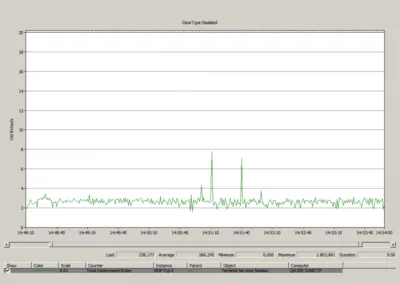
In an earlier post I wrote about how bandwidth requirements of the RDP protocol are affected by enabling font smoothing (ClearType over RDP version 6) on Windows Server 2008. Jan, a reader of that article, posted an interesting comment: he had heard that RDP version 6 was optimized for a color depth of 32 bits and asked me to repeat my tests with that setting, which leads to an interesting question: how is font smoothing bandwidth usage affected by the color depth used?
Citrix/Terminal Services/Remote Desktop Services