Fixing VS Code UI Unresponsiveness Caused by GitHub Copilot Extension

Fixing VS Code UI Unresponsiveness Caused by GitHub Copilot Extension
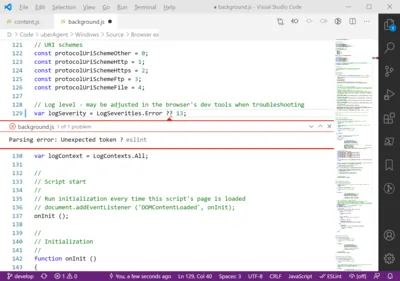
This article shows a simple solution to a problem that doesn’t seem to be adequately documented: VS Code UI lags, freezes, and delays caused by the GitHub Copilot extension. Problem: VS Code UI Becoming Slow Having worked on a Python project for a while, I noticed that VS Code’s UI was frequently freezing for seconds at a time. This was happening in various places of the UI: the editor itself but also in the GitHub Copilot Chat window. Copilot also seemed to be taking more and more time getting ready to answer, and the extension-host process would fully saturate one CPU core for long periods of time.
Applications

How to Convert/Recreate PNG Logos to SVG With Inkscape

How to Convert/Recreate PNG Logos to SVG With Inkscape
Bitmaps tend to have noise and imperfections, especially if they’ve been generated by AI. Vector graphics, on the other hand, trace the outline of elements with elegant curves. Converting from the real world of bitmaps to the ideal world of vectors requires ignoring the actual pixels and seeing an idealized structure instead. That is not something automated conversion tools can do today, at least not those I’ve tested. Instead of converting a PNG to SVG you should, therefore, recreate it in a vector graphics image editor. This article shows how to do that in the free Inkscape.
Applications

Obsidian: Getting Started With the Markdown Note-Taking App

Obsidian: Getting Started With the Markdown Note-Taking App
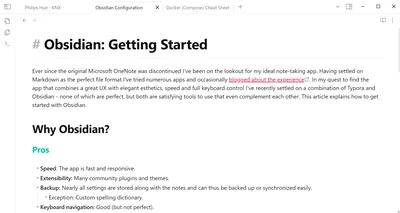
Ever since the original Microsoft OneNote was discontinued I’ve been on the lookout for my ideal note-taking app. Having settled on Markdown as the perfect file format I’ve tried numerous apps and occasionally blogged about the experience. In my quest to find the app that combines a great UX with elegant esthetics, speed and full keyboard control I’ve recently settled on a combination of Typora and Obsidian - none of which are perfect, but both are satisfying tools to use and they even complement each other. This article explains how to get started with Obsidian.
Applications

Identifying MS Teams Application Instances & Counting App Starts

Identifying MS Teams Application Instances & Counting App Starts
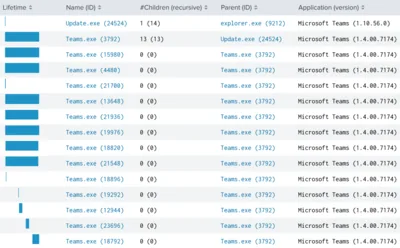
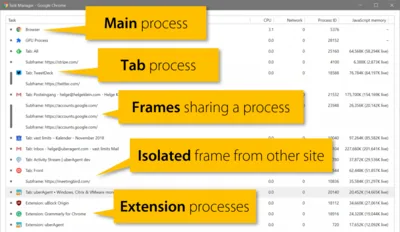
Microsoft Teams is a web application that needs a browser as a runtime environment. In order to keep things simple - at the expense of disk space - the Teams installation package contains not only the actual web app but also all components that are needed to run it, including Chromium. When you launch Teams, you’re really launching the Chromium browser, which then executes the embedded Teams web app. Teams’ browser-based architecture presents challenges when you want to count the number of Teams instances that are running or when you need to find out how many instances of Teams have been started. This article presents multiple ways to determine accurate application usage data.
Applications

Free Services to Send Files End-To-End Encrypted

Free Services to Send Files End-To-End Encrypted
There are a number of services for sending files to someone else that are both free and secure. This post provides an overview. What is End-to-End Encrypted File Sending? File sending services work similarly to file synchronization & sharing services, except there is no synchronization part. You navigate to the service’s website, select the files you want to send, and they’re encrypted on your machine while being uploaded. You get a link to be shared with the files’ recipient. The service stores the files for a certain time, typically seven days. That is how long the link remains valid. It is important to note that end-to-end encrypted sending services cannot decipher your data, for them it’s just meaningless bits.
Applications

Switching from Chrome to Firefox

Switching from Chrome to Firefox
After many years as a happy user, I switched from Chrome to Firefox. How did that go? Astonishingly well! Here are some notes I took in the process. My History of Changing Browsers Netscape to Internet Explorer I think I started out with Netscape Navigator on Windows 95. My first change of browsers happened with Windows NT 4 and Internet Explorer 4. That was a great browser! Everybody switched to IE in the following years. Microsoft’s domination of the browser market (yes, that was a reality for many years) started right there with IE4. Internet Explorer was successful not only because it was bundled with the operating system, but also because it was a good application.
Applications

Standard Notes: a Note-Taking App with Client-Side Encryption

Standard Notes: a Note-Taking App with Client-Side Encryption
Note-taking is one of those topics that appear to have been solved long ago, yet offer plenty of opportunity for new contestants. There are multiple reasons for that, but for me the number one is encryption. The major players, Microsoft OneNote, Evernote, and Google Keep, store your thoughts and ideas in plain text on any synchronized device as well as their cloud servers. In the age of hacks, leaks, and exploits it does not take much to conjure up scenarios where those thoughts become public knowledge all of a sudden.
Applications