Windows Server 2008: Architectural Changes Relevant to Terminal Services #2
- Citrix/Terminal Services/Remote Desktop Services
- Published Aug 3, 2007 Updated Oct 26, 2010
This post covers a technology developed by Microsoft Research in the late 90s that finally made it into terminal services: ClearType.
ClearType
As is sometimes the case with technology, it is difficult to explain how it works, yet easy to see the benefits. Let us start with the easy part.
ClearType makes fonts that are displayed on LCD screens easier to read by smoothing the characters. That is all there is to it. The importance of this technology obviously stems from the fact that millions of computer users all over the world spend many hours each day staring at screens reading E-Mails and other documents. You are one of them and reading at a screen right now that is probably optimized by ClearType maybe without you even knowing it.
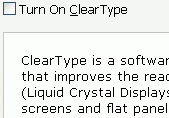
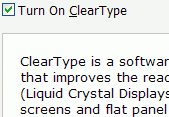
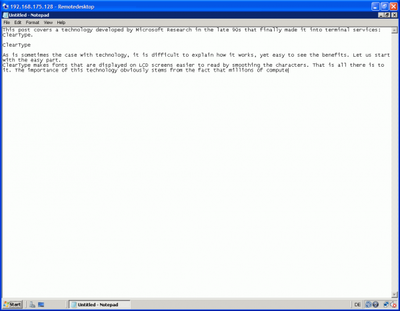
The following two screen shots illustrate the difference:
So how does it work?
ClearType is similar to antialiaising and uses sub-pixel rendering to smoothen the edges of characters. You might have thought of a pixel on a computer screen as an atomic unit - indivisible - but every pixel consists of three subpixels: red, green and blue. Since the human eye’s color resolution is lower than the spatial resolution the coloured subpixels can be used to effectively triple the resolution around the edges of characters.
How does all this relate to terminal services?
Windows XP was the first operating system to contain the ClearType technology, though ClearType was not enabled by default. That changed with Internet Explorer 7 which activates ClearType for its display of web pages. Every Microsoft operating system since XP has ClearType built-in. Unfortunately, prior to Windows Server 2008, ClearType was supported neither over RDP nor over ICA. That effectively means that on a Fat Client text was displayed in high resolution and over terminal services in low resolution, lowering the attractiveness of terminal servers in relation to fat clients.
This changes with Windows Server 2008 where ClearType is, by the way, called font smoothing. To be able to use ClearType / font smoothing over RDP you need at least version 6 of the Remote Desktop Connection software which is available for Vista, Server 2003 SP1 and XP SP2.
ClearType is enabled by default in Windows Vista and Server 2008. Unfortunately it can be configured via group policy only for Internet Explorer (Windows Components\Internet Explorer\Internet Control Panel\Advanced Page\Turn off ClearType). I have not yet tested whether this policy’s effects are maybe system-wide.
To enable ClearType on the RDP client (default: enabled) open Remote Desktop Connection, klick on “Options” then “Experience” and select the “Font smoothing” check box.
What about Citrix?
Citrix is bound to support font smoothing over ICA in their Server 2008-compatible version of Presentation Server which is announced for release at most 90 days after the OS itself. From personal experience I can add that they would have liked to provide this functionality earlier but were limited by the operation system’s capabilities.
In my opinion the ability to use ClearType / font smoothing over RCP and probably ICA is one of the major arguments for migrating to Windows Server 2008 terminal services. Interestingly this is being completely disregarded in all official marketing publications I know of.
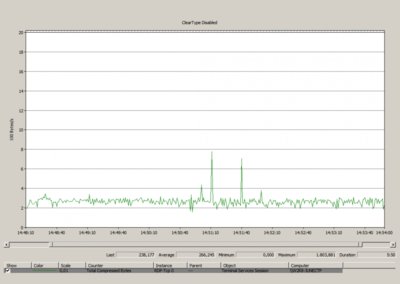
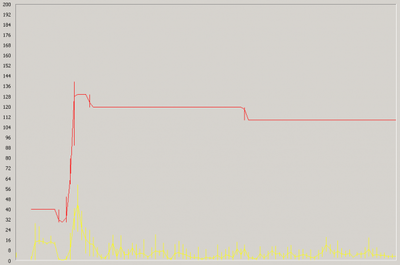
There is only one downside to using ClearType over RDP - the bandwidth requirements are higher. To illustrate this point: of the two screen shots above, the GIF with ClearType disabled is 1.5 KB in size while the one with ClearType enabled takes up 3.2 KB - ClearType more than doubles the file size! But I suspect that your users, once they learn about this functionality, demand to have ClearType enabled.
Additional information:
Microsoft ClearType Tuner PowerToy
Microsoft typography web site
Wikipedia




Comments