uberAgent for Splunk: Dynamic Application Identification
- UberAgent
- Published Jan 30, 2013 Updated Feb 23, 2021
uberAgent for Splunk monitors Windows machines. It does not try to display as much data as possible but focuses on visualizing what is actually going on instead. In the last post we gave you a glimpse of the information it can display about user sessions and logon times. Today we are going to talk about machines, processes and applications.
Machines and Processes
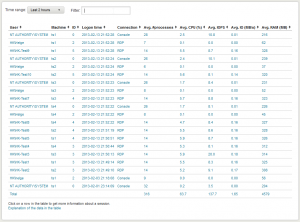
As you would expect, uberAgent gives you detailed performance data about your computers. It works with client and server versions of Windows, of course. The information that is available includes CPU, disk, machine, and kernel memory data. The Machine Detail dashboard displays both the numerical values for detailed analysis as well as charts for a quick overview.
As a design principle, we try to always give you historical data in addition to an average over a certain time range. By clicking on a row in the Machine Detail dashboard the corresponding historical data dashboard for the selected server is invoked.
The process dashboards are laid out in a similar fashion. The overview page lists all processes (this can be filtered, of course). Clicking on any row brings up the historical view of that process.
Applications
While it is pretty clear where machine and process data come from, this is not so obvious with applications. In fact, there is a tiny little bit of magic involved here - Windows does not have a concept of applications, it only knows about processes. That receiver.exe, concentr.exe and wfcrun32.exe form a logical application entity called Citrix Receiver is totally irrelevant to the operating system. For that reason, other monitoring systems do not bother with applications.
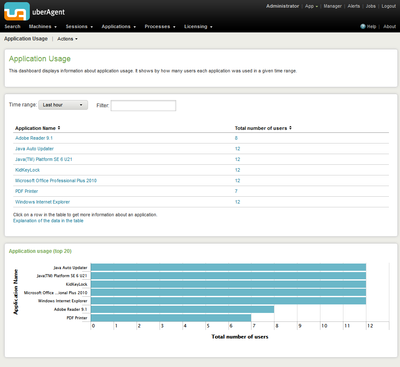
uberAgent is different. It automatically groups related processes to applications, because humans think in applications, not in processes - and uberAgent is designed for humans. When troubleshooting performance problems it is not enough to know that, say, SelfService.exe has a problem. You need to know that Citrix Receiver generates all those IOs. uberAgent shows you exactly that and makes it easy to analyze the impact your applications have on overall system performance.





Comments