The Most Interesting New Feature of Server 2008 Terminal Services / XenApp 5.0? Why, Font Smoothing!
- Citrix/Terminal Services/Remote Desktop Services
- Published May 14, 2008
Much has been written about the many new features of Windows Server 2008 Terminal Services. Now, with the upcoming release of Citrix XenApp 5.0 (Project Delaware), Citrix updates its best-selling product and ports it to the new platform. Brian Madden analyzes whether it is still worth buying Citrix XenApp / Presentation Server on top of pure Windows Terminal Services.
I want to answer a different question: Why even consider migrating your smoothly-running terminal server farm based on Windows Server 2003?
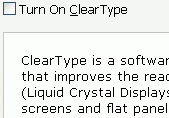
There may, of course, be many reasons for such a migration, depending on your environment, business needs, hardware, network, and so on. I want to point your attention to a little gem, well hidden in the bowls of Server 2008’s new feature set and available both in Server 2008 Terminal Services and XenApp 5.0: font smoothing (ClearType).
In my opinion, font smoothing alone makes a migration to Server 2008 worthwhile (I have written about this topic before - here). Do you even remember, what non-optimized font looks like on an LCD screen? You probably don’t. It looks ugly.
Wait! You might know - if you are working over RDP or ICA! In that case you have not benefited of the ClearType / font smoothing technology introduced with Windows XP (sic!).
Is that even important?
Yes! Not only do fonts on LCDs screens look much uglier than on CRTs (remember those?). Characters are also harder to make out. For that reason RDP/ICA devices are less ergonomic than fat clients. That makes for low user acceptance. Which is exactly what we do not want when we take the user’s desktops PCs away and replace them with thin clients.
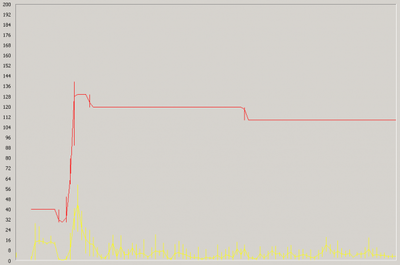
Of course, enabling font smoothing takes up more bandwidth (see my tests here and here). But that is the price companies will have to pay for centralization.




Comments