Scripted WordPress to Hugo Migration
- Website
- Published Jan 25, 2026
After having published in WordPress for almost 20 years, it was time for a change. This site is now rendered by Hugo, a static website generator built for Markdown content hosted in a Git repository. The migration from WordPress (HTML) to Hugo (Markdown) was far from trivial. Since I couldn’t find any tool for the job, I developed my own set of migration scripts that fully automate the migration process. You can find them on GitHub along with extensive documentation.
For the benefit of every visitor (including myself), this site now supports dark mode and has a fantastic search (press Ctrl+K to try it out).

Why Migrate?
WordPress Not Evolving in the Right Direction
Even though WordPress is being developed actively, there haven’t been any significant improvements for my use case in many years. Most of the resources seem to be poured into the Gutenberg editor, which I never used. The classic editor, on the other hand, is neglected by the developers.
Static Beats Dynamic
By nature, WordPress renders websites dynamically. When you navigate to a URL, all page content is generated on the fly by a plethora of PHP scripts. As this is far too slow for a decent UX, webmasters need to spend a lot of time and effort adding caching layers that hide WordPress’s dynamic rendering from most visitors. By contrast, Hugo exists to create static content. The rendering happens only once, when you push to the Git repo that holds your content.
GitHub Repo Trumps Database
Like any developer-minded IT pro, I’ve been working with Git repositories in general and GitHub in particular for a long time, and I’m very comfortable with the workflow. It feels only natural to keep website content in a Git repo, too (with images and other files in Git LFS).
Web Server Maintenance
WordPress needs a web server that must be operated, secured, and updated regularly. Even though you can efficiently build and maintain a very fast server on a budget of 9 EUR per month, as I’ve been doing, not having to take care of a server is a very welcome change.
How to Migrate
Converting WordPress content for use with Hugo is a (maybe not so) surprisingly complex undertaking.
Export from WordPress
At least this is simple: WordPress has a built-in exporter that stores all your site’s text content in an XML file. This includes blog posts, pages, and comments with their full metadata.
Images and other files you may be hosting on your server are obviously not included in the XML export but can easily be copied, for example, via SFTP.
HTML to Markdown Conversion
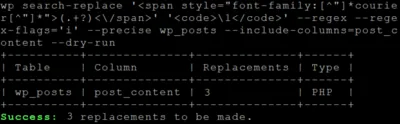
There are many HTML converters out there, but none of them handles paragraphs without <p> tags (which are the norm in WordPress). In the end, I had to recreate WordPress’ wpautop function in my Python migration scripts because only that would guarantee a faithful conversion.
Unexpectedly, many converters (including Pandoc) also struggle with unclosed <li> tags, although that is perfectly valid HTML.
My HTML to Markdown documentation lists various other conversion challenges that had to be solved (and were).
Images
In WordPress, I had maintained two versions of each image: a standard and a high-res variant. From these, WordPress creates various smaller sizes depending on your settings.
Hugo only needs the high-res image size from which it generates smaller versions as per your theme’s setup. The migration script identifies all images in the content and selects the best available version of each for the migration.
Comments
Being static, a Hugo website cannot provide native commenting. There is an elegant way around this, though: by using GitHub Discussions for website comments, we not only get a mature system for free, but also advanced spam protection (which requires a paid plugin on WordPress). Giscus creates one GitHub discussion per blog post, lazy-loading the comments UI only when the user scrolls down far enough for it to become visible.
What Else?
Theme Creation
Migrating your existing content is only half the work. The other half involves creating or adjusting a Hugo theme. As with WordPress, themes control the presentation, providing great flexibility but also requiring a lot of work if you aim for a unique look.
After trying several ready-made themes and finding them far too limiting, I decided to create my own based on a template theme, Hugoplate. That had its downsides, too, though: I had to fight the theme a lot, overriding its CSS in ways that would be hard to maintain. So I finally decided to create my own theme from scratch. Thanks to extensive AI help, this was doable, albeit not exactly a walk in the park. Generally, Claude Opus 4.5 worked best, followed by its less expensive Sonnet 4.5 sibling. ChatGPT 5.2 (Codex) proved to be strong with HTML/CSS and is great at spell-checking.
File Hosting
Even static files need to be hosted somewhere. I selected Cloudflare Pages along with Cloudflare’s R2 storage for the larger files.





Comments