How WinPE 4.0 Breaks ICA Connections
- Citrix/Terminal Services/Remote Desktop Services, Troubleshooting
- Published Aug 23, 2013
I had to troubleshoot a case where it suddenly was not possible any more to connect via ICA/HDX to freshly installed Windows 7 VDI machines. As it turned out, the root cause was a combination of Microsoft disabling legacy technologies and Citrix relying on them.
The Problem
Connecting to a VDI machine, newly installed with the Windows 7 corporate image, failed with the infamous “status 1030” error:
The connection to ‘desktop name’ failed with status 1030
‘Status 1030’ is what the ICA client will report for nearly any type of problem, which unnecessarily complicates troubleshooting a lot - are individual error codes per problem type too much to ask?
Strangely, the machines were registered with the DDC and all looked well.
Troubleshooting steps
The application event log of the virtual desktop had no errors and the connection failed from different user accounts on different PCs. Obviously the connection target was the problem, not the source.
I started troubleshooting by enabling PortICA logging (PortICA is the original name of the ICA port from server to client OS). The next failed connection attempt yielded interesting entries in the log file which culminated in the following:
Trace5: Citrix.Portica.GinaServer.SendMessageToGina Failed to open PicaGina event. Give up.
Looking at the message text one might come to the conclusion that sending a message to a software component that is no longer present is bound to fail, but I searched for the message text anyway. And found CTX133773 which explains exactly what I was seeing.
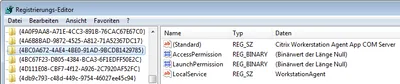
The VDA’s setup relies on the existence of 8.3 names in the file system. When those are not present, the setup stores the regular path to mfaphook64.dll in the registry. Since C:\Program Files\Citrix\System32\mfaphook64.dll has a blank in it, mfaphook64.dll, the Citrix component that does all the “dirty” work, cannot be loaded, rendering the VDA installation useless.
Root Cause
Having an explanation for the failed connection attempts was nice, but the most important question was not answered yet: how come 8.3 names were not available any more all of a sudden? After all, up to a few days earlier things had worked just nicely.
My first suspicion that 8.3 names had been switched off via Group Policy turned out to be incorrect. As I found out, 8.3 names can not only be configured per system but also per volume.
And, sure enough, I got this when I queried the state of 8.3 names on C:
C:\>fsutil 8dot3name query c:
The volume state is: 1 (8dot3 name creation is disabled).
The registry state is: 2 (Per volume setting - the default).

Based on the above two settings, 8dot3 name creation is disabled on c:
The only possible reason for 8.3 names not being enabled on the volume C: could have been a change to the imaging or deployment process. After some more searching we found the culprit. Its name: WinPE 4.0. Apparently Microsoft disabled 8.3 names in WinPE 4.0 by default - without telling anyone.
As we learned there had been an update of the deployment tools and the new version came with WinPE 4.0. When we moved back to the old version 8.3 names reappeared, the 1030 errors were gone and ICA connections were possible once again.
Additional Information
This issue not only affects XenDesktop (5.6) but also XenApp 6.5.
Although we do not use Microsoft’s System Center Configuration Manager (SCCM) it may be relevant to some of you that SP1 for SCCM 2012 also silently disables 8.3 names.




Comments