How to Determine the Size of the System Volume Information Directory
- Permissions, Security, SetACL Studio, Windows Internals
- Published Jan 10, 2013 Updated Jan 11, 2013
Due to the strict permissions on the System Volume Information directory finding out its true size is not easy.
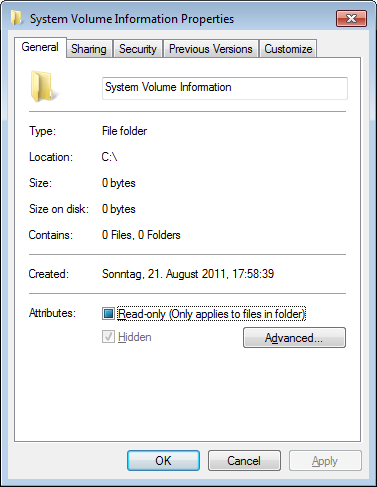
Explorer is really bad at such things. It definitely was not made for administrative tasks. It displays the directory size as zero bytes:
You need a tool that can dig a little deeper, SetACL Studio. It can bypass security and list everything that is there:
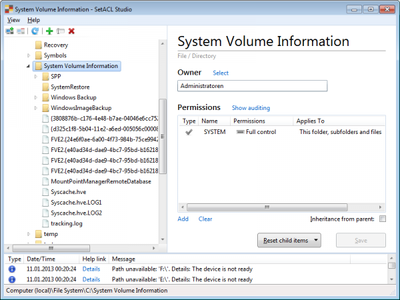
Unfortunately, SetACL Studio does not display the directory size and I do not know any other tool that can display directory sizes while bypassing security. Except for one tool that comes with Windows and is very well known. Alas not for calculating the size of directories, but for copying them. Yes, I am talking about robocopy.
Open an elevated command prompt and try the following:
robocopy "c:\System Volume Information" c:\dummy /l /xj /e /nfl /ndl /njh /r:0 /b
The output you get will be similar to the following:
------------------------------------------------------------------------------

               Total    Copied   Skipped  Mismatch    FAILED    Extras
    Dirs :        11        11         0         0         0         0
   Files :        25        25         0         0         0         0
   Bytes :   1.141 g   1.141 g         0         0         0         0
   Times :   0:00:00   0:00:00                       0:00:00   0:00:00

   Ended : Fri Jan 11 00:31:55 2013
So the size of my System Volume Information is 1.141 GB.





Comments