How Much Memory Does a Database/File/Print/Terminal/Web Server Need?

Here are some very simple guidelines that help determine how much memory a particular server actually needs in order to perform well. Of course, these are just rules of thumb, but nevertheless they might come in handy.

  • Database servers (also domain controllers): The database should fit into physical RAM with some to spare.
  • File servers: The more, the better. Add RAM until response times under heavy load are a little faster than strictly required.
  • Print servers: Not much RAM is needed. 4 GB should be more than enough for typical systems.
  • Terminal servers (with or without Citrix): Add RAM until you cannot increase the user density any more without affecting responsiveness.
  • Web servers: All frequently accessed content should fit into physical RAM with some to spare.
Comments

Related Posts

Four Ways to Increase the Capacity of Your Citrix XenApp Farm

Even with the most meticulous design, the day will come when your farm’s capacity is not sufficient any more. User numbers increase, applications become more resource-hungry and the amount of data to be handled increases steadily. So what do you do? Simply more of the same, i.e. buy more servers and add them to the farm? That is one way of increasing capacity, but it is not the only one and therefore may not be the best.
Performance/Sizing

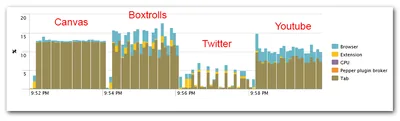
Impact of GPU Acceleration on Browser CPU Usage

Impact of GPU Acceleration on Browser CPU Usage
GPU acceleration is en vogue. After slowly but steadily moving out of the 3D niche it has arrived in the mainstream. Today, applications like Microsoft Office leverage the GPU, but even more so do web browsers. Chrome, Firefox, and Internet Explorer all have hardware acceleration turned on by default. People generally seem to be happy about that - GPUs are super-efficient, the more work they do the fewer remains for the CPU, overall energy consumption is reduced and battery life increases. Or so the myth goes. Interestingly, facts to prove that are hard to find. Nobody seems to have measured how GPU acceleration affects CPU usage. Let’s change that.
Performance/Sizing

Latest Posts

Fast & Silent 5 Watt PC: Minimizing Idle Power Usage

Fast & Silent 5 Watt PC: Minimizing Idle Power Usage
This micro-series explains how to turn the Lenovo ThinkCentre M90t Gen 6 into a smart workstation that consumes only 5 Watts when idle but reaches top Cinebench scores while staying almost imperceptibly silent. In the first post, I showed how to silence the machine by replacing and adding to Lenovo’s CPU cooler. In this second post, I’m listing the exact configuration that achieves the lofty goal of combining minimal idle power consumption with top Cinebench scores.
Hardware



