Finding the Perfect Laptop, 2014 Edition
- Hardware
- Published May 28, 2014
My current laptop is nearly three years old. That is a pretty long time, and I have contemplated getting a new machine more than once in the last years. I even went so far as to buy a more fancy replacement, but that attempt failed miserably. After using the new device for only a few days I realized that I had taken my Lenovo T520’s qualities for granted too much. I had thought a sleeker, more modern notebook would have all its qualities, too, albeit in a more appealing hull. Boy, was I wrong. As I wrote after trying to work on a Sony:
From this experience I have learned that I need first and foremost a reliable workhorse. Speed comes second. Looks and weight come last.
Mobile Workstation
Some of my friends in the virtualization community have impressive labs in their homes, small data centres really. I try to keep things a little bit simpler. Many test scenarios do not require the use of more than two or three VMs concurrently. Such a workload can be run on a laptop very efficiently. At the same time not having to rely on effectively immobile hardware gives me the freedom to work wherever I want. Sure, remoting technologies are quite advanced these days, but without a high-speed, low-latency connection to your lab there is not going to be much fun. And I will not even mention things like power consumption, space requirements and noise levels.
However, I do need performance, and much of that comes from having enough RAM. My current laptop only has two RAM banks and consequently maxes out at 16 GB. For its successor I wanted 32 GB, which is as much as you can cram into a mobile device these days.
That brings us to requirements. What do I want from the device? Here is my wishlist:
- 32 GB RAM
- Quad-core CPU
- Big and fast SSD
- Matte screen (not glossy!)
- High-DPI screen
- Keyboard without numeric keypad
- 15" dimensions
- Light weight
Aligning these wishes with what vendors actually offer proved to be not trivial. I really like Dell’s new M3800, for example. It is elegant and slim, but only has two DIMM slots (= 16 GB max). I also like several of the MacBook clones Ultrabooks that seem to be all the rage these days. But none of those supports more than 16 GB, most not even that. In addition Ultrabooks often sport low-power, low-performance CPUs - good enough for a bit of document editing and web surfing, but not made for real work.
Speaking of MacBook clones, the originals are very good machines, obviously, but also limited to 16 GB. Another thing that keeps me from buying Apple: I will not be second-grade citizen with Windows on “alien” hardware.
I decided that 32 GB RAM is a must-have. That narrowed the list of devices down really effectively. At least if you ignore these monstrosities.
My Choice
Hardware vendors call this market niche mobile workstations. So be it. Effectively there are only three players in that space: Lenovo, Dell and HP. I am so unimpressed with what the latter (HP) have to offer that I focused on the other two exclusively. As I mentioned above, Dell’s M3800 is very nice, but does not meet my requirements. Its big brother, the M4800, is a lot less cool but definitely much heavier. A lot heavier, actually.
Lenovo seems to be getting it, though. Their mobile workstation, the W540, is slimmer and lighter than even my current T520. They offer what seems to be a really decent matte high-DPI screen and the device is user-serviceable so I can buy my own RAM and SSD.
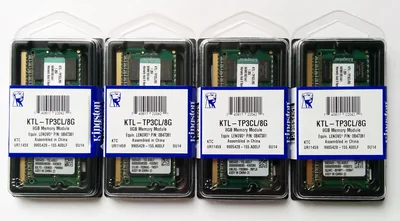
What they are not getting (yet?) is that power supplies need not be bricks (0.5 kg!). To my personal distaste a numeric keypad was added to the keyboard with the current generation. But as those are my biggest complaints and competitors are far behind I ordered the W540 just yesterday. Actually, those four 8 GB DIMMs in the picture above have been the first parts to arrive.
I am looking forward to describing how the Lenovo W540 fares once it arrives, and of course I will tell you how to equip it with multiple SSDs and the maximum amount of RAM - things Lenovo does not even have on sale.







Comments