Enabling HTTP/2 in Apache on Ubuntu 18.04
- Website
- Published Nov 26, 2018 Updated Dec 31, 2019
A number of requirements must be met before HTTP/2 can be enabled for a website. This is a compilation of steps I went through to get HTTP/2 working on our Apache web server hosting WordPress sites.
HTTP/2 Requirements
Requirement #1: HTTPS
HTTP/2 only works with HTTPS. If you have not switched your site to HTTPS, now is the time to do it. You might be interested in my article Switching a WordPress Site From HTTP to HTTPS.
Requirement #2: Apache 2.4.24
The first version of Apache to support HTTP/2 is 2.4.24. If you are on the LTS branch of Ubuntu, this means you need to upgrade to Ubuntu 18.04. I described the upgrade process from 16.04 to 18.04 in another blog post.
Requirement #3: PHP FPM
Short version: if you run PHP in Apache via mod_php, you need to switch to FPM. That is not a bad thing. FPM is newer and faster.
Long version: HTTP/2 is not compatible with Apache’s prefork multi-processing module. However, prefork basically seems to be obsolete so it does not hurt to switch to something more modern, i.e., the event MPM. That, in turn, requires a change in the PHP module from mod_php to php7.x-fpm.
Configuration Changes for HTTP/2
Switching Apache’s PHP Module from MPM Prefork to Event
Run the following commands:
sudo apt-get install php7.2-fpm
sudo a2enmod proxy_fcgi
sudo a2enconf php7.2-fpm
sudo a2dismod php7.2
sudo a2dismod mpm_prefork
sudo a2enmod mpm_event
sudo service apache2 restart
Caveat: W3 Total Cache Shows Apache Modules as Not Detected
W3 Total Cache seems to rely on the function apache_get_modules() to detect Apache modules, which does not work with FPM. According to this support article from Plesk, this issue can be ignored.
Installing and Enabling HTTP/2 in Apache
Enable the module mod_http2:
sudo a2enmod http2
sudo service apache2 restart
Enable the HTTP/2 protocol by adding the following to /etc/apache2/apache2.conf:
Protocols h2 http/1.1
How to Verify that HTTP/2 is Working
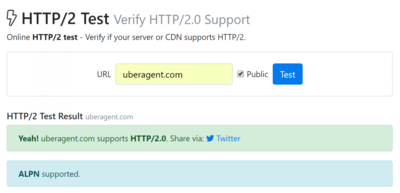
Cloudflare put together a comprehensive list of ways you can check a website for HTTP/2 support. The easiest to use are probably Chrome Dev Tools (network view, add the Protocol column) or the online test from KeyCDN.







Comments