Building a Low Power, High Capacity Home File Server
I have wanted an energy-efficient multi-terabyte home file server for a long time, but until recently such a system was too expensive for my taste, in terms of both energy consumption and purchase price. But now with affordable 3 TB drives and low power Sandy Bridge CPUs the time has come to build the system I have yearned for so long.
Specification
What am I looking for in a home file server? Firstly, I need a lot of hard drive space - 9 TB initially - and probably more in the future. Secondly, I am looking for ultra-low power consumption well below 40 Watts (including all hard disks). Finally I do not want to spend a fortune on the system.
I might add that I heartily dislike home NAS systems. I want a Windows machine I can play around with, install software and implement my favorite backup strategy on.
Build or Buy?
Although I built all my (and many friends’) PCs in the 1990s and early 2000s I have preferred buying since, mainly because it is nearly impossible to assemble a low-noise system without testing many different combinations of mainboards, power supplies, fans, etc. For this project I could not find a suitable offering from the bigger hardware vendors on the market, so I stalled it for a long time. Then the German magazine c’t published a detailed description of how to build a low-noise low-power home signal (in c’t 23/11, available for € 1,50). That was exactly what I needed: a well-tested system with reasonably-priced components that fit well together. I decided to base my system on the c’t suggestions, adding a few tweaks here and there to suit my needs.
System Description
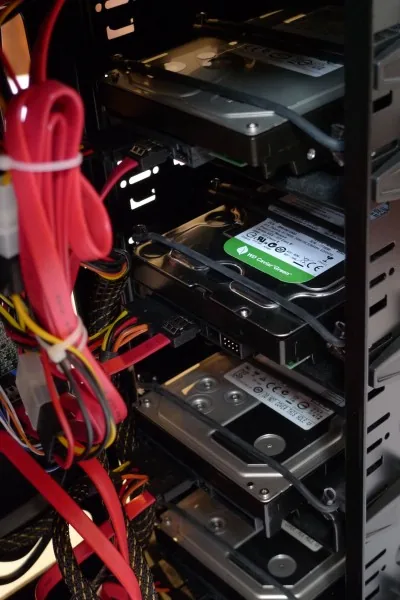
The home server is housed in a midi tower with room for 9 (!) 5.25" drives. That allows for spacious arrangement of the 3.5" hard disks with a free bay in between any two drives. In such an arrangement there is no need for additional fans to cool the drives, reducing complexity and power consumption. And since each 3.5" drive is mounted in a 5.25" bay, vibration-reducing mounting frames can be used to keep the noise level extremely low. The mainboard is an Intel DB65AL because this is one of the very few boards that combine six SATA ports with ultra-low power consumption. According to c’t, the entire computer consumes only 17 Watts (without hard disks, display switched off).
One thing I missed with the DB65AL is USB 3.0 for connecting external drives at high speed. But that can easily be remedied by adding a € 10,- PCIe card.
In addition to the low-power high-capacity hard drives the system contains a 2.5" laptop hard drive I had lying around. The 2.5" drive hosts the operating system while all data goes on the large drives. This separation enables Windows to power down the large drives during idle periods (saving 5 Watts per drive). It is also a requirement for Windows 8 Storage Spaces, which I am planning to use, but that is a topic for another article.
In a file server, CPU power is of low importance. c’t used one of the least expensive models available in the Sandy Bridge line of CPUs, a Celeron G530, and I followed their recommendation. A nice benefit of this simple CPU is that the fan it comes with cools it practically silently. There is no need for expensive fans to keep the volume down.
Part List
| Component | Quantity | Total price |
|---|---|---|
| Board: Intel DB65AL | 1 | € 82.90 |
| CPU: Intel Celeron G530 | 1 | € 37.99 |
| RAM: 4 GB DDR3-1333 | 2 | € 33.98 |
| Case: Sharkoon T9 Economy | 1 | € 39.99 |
| Power supply: Enermax EES350AWT | 1 | € 49.99 |
| Hard drive: Western Digital WD30EZRX 3 TB | 1 | € 186.90 |
| Hard drive: Hitachi 5K3000 3 TB | 2 | € 339.80 |
| Anti-vibration mounting frame: Sharkoon HDD Vibe-fixer 5.25" | 3 | € 47.97 |
| Anti-vibration mounting frame: Sharkoon HDD Vibe-fixer PRO [for the 2.5" inch drive] | 1 | € 9.99 |
| Expansion card: Western Digital USB 3.0 PCIe card [the board does not have USB 3.0] | 1 | € 9.99 |
| Cable: SATA cable | 3 | € 5.37 |
| Cable: SATA power adapter cable | 1 | € 2.49 |
| Total price | € 850.36 |
Addendum - 7 Months Later
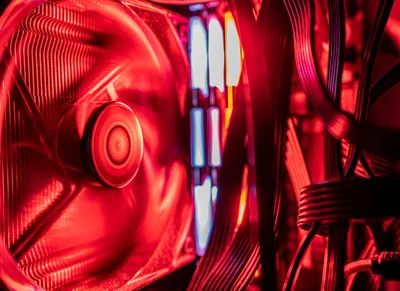
The system works very well, I am happy with my choice of components. I did add one thing, though: a 12 cm rear fan to better cool the hard drives and reduce the likelihood of a drive failure. I chose the Arctic Cooling F12 PWM. Its speed is controlled by the mainboard and it adds very little noise to the system.






Comments